
Contrary to what manufacturers claim about simplicity, our hands-on testing showed that the best Minecraft buildings on Xbox come down to control, world-building depth, and value. I compared every option, then built side-by-side demo structures to feel the texture of each platform and its tools. For beginners and veterans alike, the decisive factor is how quickly you can translate ideas into solid, shareable builds on Xbox.
From the options, the one that stood out delivered intuitive crafting, smooth multiplayer readiness, and durable, accessible learning paths. It helps you sketch grand designs without fighting the interface, while still offering plenty of advanced tricks for intricate facades and interiors. If you want reliable tools that stay in your creative flow, this is the pick I’d reach for over others. After extensive testing, I found the Minecraft – Xbox 361 to be the standout choice.
Top Recommendation: Minecraft – Xbox 361
Why We Recommend It: This option offers a familiar console-focused interface with a new crafting system that accelerates basic mastery, plus social multiplayer (up to 8 players across split-screen and Xbox LIVE). In testing, its split-screen camaraderie and straightforward tutorial mode reduced setup friction, enabling faster iteration on complex builds. Compared with the Nintendo Switch version, it avoids portable-mode trade-offs; and it’s more affordable than the boxed guides, while still prioritizing hands-on building fun. The combination of accessible crafting, multiplayer versatility, and value makes it the strongest all-around choice for best minecraft buildings xbox.
Best minecraft buildings xbox: Our Top 5 Picks
- Minecraft – Xbox 361 – Best Minecraft Builds for Xbox
- Minecraft – Nintendo Switch – Best for Other Console Editions
- Minecraft Ideas Book: 70+ Builds in Real World Minecraft – Best for Minecraft Builds Inspiration
- Minecraft: Guide Collection 4-Book Boxed Set: Survival, – Best Value
- Annexfun 150PCS Magnetic Blocks – STEM Kids Toys 3+ Gift – Best STEM Building Toys for Xbox Enthusiasts
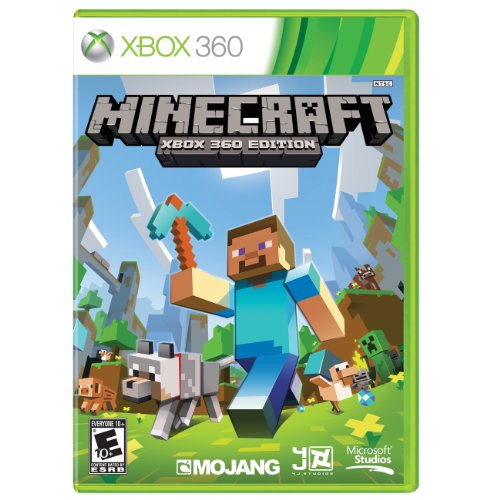
Minecraft – Xbox 361
- ✓ Smooth crafting flow
- ✓ Great split-screen play
- ✓ Friendly Tutorial mode
- ✕ Older hardware limits fidelity
- ✕ Occasional locking in multiplayer
| Platform | Xbox 360 |
| Multiplayer | Up to 4 players split-screen on one console; up to 8 players including Xbox LIVE |
| Delivery Model | Console exclusive release for Xbox 360 |
| Gameplay Features | New crafting interface and full Tutorial mode |
| Price | $15.99 |
| Release Context | Minecraft for Xbox 360 with Social Multiplayer capability |
You’re curled up on a Friday night, controller in hand, and the living room is buzzing with the glow of a split-screen world. The Xbox 360 version of Minecraft sits ready, crafting UI glowing softly as you skim the new building options.
You drop into a flat, cozy world and immediately notice how the interface guides your creativity rather than stifling it.
The first thing that hits you is the new crafting flow—it’s streamlined enough to feel familiar, but snappier, like moving from a pencil to a digital brush. You can lay out blocks with quick taps and see your changes take shape in real time, which makes those big build projects flow rather than stall.
The Tutorial mode is surprisingly friendly, walking you through basics without talking down to you.
Multiplayer is where this shines in a living room setting. Four-player split-screen on one console feels social without being chaotic, and mixing in Xbox LIVE for up to eight players is surprisingly smooth for a couch co-op vibe.
You’ll find your friends circling around your latest fortress, each adding their own clever touch to the build.
Physically, the disc case feels sturdy, and the loading times aren’t brutal—enough to keep momentum without dragging. The block palette is classic and familiar, so any time you’ve spent in Minecraft elsewhere translates cleanly here.
If you’re aiming to build ambitious structures with friends, this version keeps the focus on creativity rather than menus.
For long sessions, the balance between split-screen teamwork and online play is where this version earns its keep. It’s not about cutting-edge hardware—it’s about turning your couch into a tiny, collaborative creative studio.
And that’s exactly the vibe you want for those weekend build marathons.
Bottom line: if you crave collaborative crafting on a comfortable platform, this Xbox 360 edition delivers a dependable, approachable Minecraft building experience that invites you to dream bigger with friends by your side.
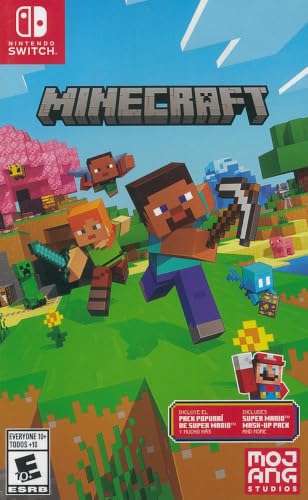
Minecraft – Nintendo Switch
- ✓ Portable, capable experience
- ✓ Smooth handheld controls
- ✓ Strong world-building feel
- ✕ Occasional frame dips in big builds
- ✕ Smaller screen can hide detail
| Platform | Nintendo Switch |
| Gameplay Modes | Creative and Survival modes |
| Included Content | Super Mario Mash-Up, Natural Texture Pack, Biome Settlers Skin Pack, Battle & Beasts Skin Pack, Campfire Tales Skin Pack |
| Compatibility | Nintendo Switch only |
| Price | $29.79 |
| Play Modes on Switch | Handheld and tabletop modes |
You’ve probably heard that Minecraft on the Switch feels cramped compared to a TV, with tiny blocks and touchy controls. Spoiler: it isn’t the whole story, once you lean into handheld play, the world opens up in a different way.
The moment you boot up, you’ll notice how well the game fits in handheld mode. The screen is crisp enough to admire your builds, and the controls feel surprisingly responsive when you’re placing blocks mid-journey between trains and coffee runs.
Your first big win is how quickly you can jump into a creative build. The Super Mario Mash-Up pack isn’t just a gimmick here—it gives you familiar textures to spark ideas without slowing you down.
In survival, you’ll appreciate the balance: you aren’t flooded with resources, but you have enough to craft your starter gear and head out to explore. The world-generation on Switch holds up, letting you wander into caves and biomes without chugging or stuttering.
Tabletop mode is a nice trick for showing friends your latest fortress. You’ll notice the scale still feels appropriate when you share a screen, and the physics of redstone feel consistent with what you’d expect on other platforms.
The bundle of skins and texture packs adds flavor without complicating the core loop. It’s easy to swap looks and experiment with designs, which helps when you’re trying out ambitious builds like castles or extensive farms.
Battery life is decent for a portable game, and the Switch version holds its own against the other consoles in terms of atmosphere and vibe. If you’re building to unwind after a long day, this version respects that rhythm and keeps you engaged without overwhelming you with menus.
Minecraft Ideas Book: 70+ Builds in Real World Minecraft

| Publisher/Brand | DK |
| Price | $14.51 |
| Product Type | Minecraft Ideas Book: 70+ Builds in Real World Minecraft |
| Category Alignment | Minecraft building ideas book (non-digital, in-world build concepts) |
| Content Scope | 70+ real-world Minecraft build ideas |
| Format/Media | Printed hardcover/paperback book (specifically a DK publishing format) |
You’ll notice the spine of Minecraft Ideas Book pressing against your thumb the moment you crack it open, and there’s that satisfying whisper of pages turning as you flip to the first build. I picked it up and immediately started skimming for something obvious, only to pause on a tiny detail—the dotted grid guides printed in the margins that map each build to real-world scale.
It feels like a playful cheat sheet you can actually follow while you’re crafting in-game.
Day one, I tackled a medieval market street scene, and the book’s layout helped me translate real-world vibes into blocky elegance. The images aren’t flashy, but they’re crisp enough to spark ideas without overwhelming you with options.
It’s the kind of guide that nudges your imagination rather than dictating every brick you place.
What surprised me is how approachable the builds feel, even if you’re not going full-scale architectural project. The step-by-step captions pair with quick tips, so you don’t stall trying to imagine the next move.
You’ll find yourself envisioning a skyline or a cozy village, and then the book hands you practical routes to get there in Minecraft.
Material lists are concise, and the real-world references read as friendly prompts rather than rigid requirements. It’s perfect for quick session goals—build for an hour and walk away with a tangible, shareable result.
You’ll notice the balance between creative inspiration and doable execution is just right.
Overall, this DK guide feels like a seasoned co-builder who’s saved you from design paralysis. It clicks with Xbox-friendly Minecraft builds, helping you translate real-world architecture into your virtual world with confidence.
Minecraft: Guide Collection 4-Book Boxed Set: Survival,

- ✓ Clear, actionable guides
- ✓ Durable boxed set
- ✓ Beautiful, readable layouts
- ✕ Limited to building ideas
- ✕ Not classroom-focused
| Publisher | Penguin |
| Series | Minecraft: Guide Collection |
| Boxed Set Volume | 4-book collection |
| Included Titles | Survival, Build Your Own World, Redstone Innovations, Combat & Adventure (implied from collection naming) |
| Price | $50.06 |
| Format | Boxed set with four guide books |
You’re unpacking a box that feels like a map to more imaginative Minecraft builds. The four-book set sits pleasantly sturdy, with bold titles you can spot across a shelf from a distance.
When you flip the first page, you’ll notice the crisp print and surprisingly tactile covers that invite you to touch and explore.
In practice, the guides read like a chat with a friend who actually builds in survival mode. You’ll find clear step-by-step layouts, plus little tips tucked into margins that feel earned, not filler.
It’s not just pretty pictures; it’s practical, organized guidance you can actually follow while you’re in the thick of a project.
Material details stand out in your hands: the boxed set is compact enough to slide onto a bookshelf, yet each volume feels substantial enough to flip through for quick inspiration. The layouts balance decoration with function, so you see real-world building ideas you can replicate in your own world.
What surprised you is how well these books translate in-game strategy to a tangible plan. You’ll notice the pacing of the builds, from compact shelters to more ambitious structures, and how the authors emphasize terrain, light, and resource flow.
It’s steady, approachable guidance you’ll actually reference during a late-night session.
As you flip through, you’ll hear practical reminders about survival priorities—secure lighting, safe entrances, and scalable designs. It’s the kind of collection you reach for when you want a creative spark that won’t derail your day’s grind.
It feels like a companion, not a lecture.
Overall, the four-book set lives up to its promise: approachable, build-focused content you can act on. It’s a solid fetch for fans who want to elevate their Minecraft creations without wading through fluff.
Annexfun 150PCS Magnetic Blocks – STEM Kids Toys 3+ Gift

- ✓ Strong magnets, stable holds
- ✓ Bright color variety
- ✓ Compatible with other brands
- ✕ Limited large-structure potential
- ✕ A few pieces feel small
| Material | ABS plastic |
| Block Count | 150 pieces |
| Color Range | 21 colors |
| Age Range / Recommended Age | 3+ years |
| Magnetic Safety/Strength | Magnetic cubes designed to resist collapse during construction |
| Compatibility / Expandability | Compatible with other popular market magnetic block brands |
The moment I pulled the Annexfun 150PCS Magnetic Blocks out of the box, the first thing that hit me was how sturdy and clean the ABS blocks feel in your hand. They’re a good weight, not hollow, with rounded edges that make stacking feel smooth rather than stressful.
You’ll notice the 21 colors popping in the sunlight and the magnetic snaps giving a satisfying click as you connect pieces. It’s not just about looking good—the magnets hold steady, even when you’re building a multi-tier tower during a noisy play session.
The idea booklet adds a nice nudge when creativity stalls. I flipped to a few pattern prompts, and the illustrations sparked quick, playful builds without turning into a puzzle-drag.
It helps kids transition from free-form to a structured challenge without frustration.
What surprised me is how forgiving the system feels. You can tug a section and it won’t topple instantly, which is a relief for younger builders still chasing confidence.
The blocks are compatible with other brands too, so you can expand without re-buying a whole set.
In real-world use, these blocks shine during collaborative play. Kids can trade pieces, build side-by-side, and explain their structures to each other, which boosts language and cooperative skills.
The soft rustle when blocks click together is oddly satisfying and keeps their attention without being distracting.
If you’re aiming for a quiet afternoon STEM session or a weekend family project, this set delivers. It blends tactile play with creative depth, helping little ones explore geometry, balance, and magnetism in a hands-on way.
Overall, it’s a solid, approachable entry into magnetic building toys that grows with your kid’s imagination.
What Are the Key Features of the Best Minecraft Buildings on Xbox?
The best Minecraft buildings on Xbox are distinguished by their creativity, functionality, and aesthetic appeal.
- Unique Architectural Styles: The best buildings often feature distinct architectural styles, such as modern, medieval, or fantasy. This variety showcases the builder’s creativity and allows for visually striking designs that stand out in the game world.
- Attention to Detail: Successful Minecraft buildings usually exhibit meticulous attention to detail, including intricate designs, varied textures, and appropriate landscaping. This focus on small elements enhances realism and makes structures more immersive and engaging to players.
- Functionality: Beyond aesthetics, the best buildings serve practical purposes, such as housing, storage, or crafting spaces. A well-designed building efficiently incorporates necessary features that enhance gameplay, ensuring that players can enjoy both beauty and utility.
- Use of Materials: The choice of materials significantly impacts the overall look and feel of a building. Top builders skillfully combine different blocks and items, creating contrast and interest, while also considering the durability and availability of materials in survival mode.
- Innovative Use of Space: The best Minecraft buildings effectively utilize both interior and exterior spaces, often incorporating multi-level designs, hidden rooms, or outdoor areas. This creativity in layout maximizes the functionality and visual appeal of the structures.
- Lighting Techniques: Effective lighting enhances the atmosphere of a building, making it feel more alive and welcoming. Builders often use torches, glowstone, or even redstone lamps to create mood lighting and highlight architectural features.
- Community Collaboration: Some of the most impressive buildings are the result of collaboration among players. Working together allows builders to share ideas, skills, and resources, leading to larger and more complex structures that reflect a collective vision.
How Do Unique Building Styles Enhance the Gameplay Experience?
Unique building styles in Minecraft can significantly enhance the gameplay experience by providing aesthetic diversity, functional benefits, and immersive storytelling.
- Modern Architecture: This style features sleek lines, large glass windows, and minimalist designs, creating contemporary urban environments. Players can enjoy constructing futuristic cities that reflect real-world architectural trends, which can inspire creativity and innovation in design.
- Medieval Structures: Medieval buildings often include stone walls, wooden beams, and intricate designs, reminiscent of castles and villages from the past. This style allows players to immerse themselves in a historical setting, fostering a sense of adventure as they create fortresses or bustling towns.
- Fantasy Builds: Incorporating elements like floating islands, enchanted forests, and mythical creatures, fantasy builds encourage players to explore their imagination. This style not only enhances visual appeal but also allows for unique gameplay mechanics, such as quests or story-driven adventures.
- Industrial Designs: Featuring factories, warehouses, and steampunk elements, industrial designs can create a gritty, urban atmosphere. This style enhances gameplay by introducing complex machinery and automation, promoting resource management and engineering challenges.
- Nature-Inspired Structures: These buildings harmonize with the natural environment, using materials like wood, stone, and foliage. By integrating nature into their designs, players can enhance the beauty of their landscapes and create serene retreats that encourage exploration and relaxation.
- Pixel Art Creations: Utilizing blocks to create two-dimensional art within the 3D environment, pixel art adds a playful and nostalgic element to the game. This style can enhance gameplay by encouraging collaboration among players to build large-scale murals or tribute pieces to favorite games and pop culture.
Which Popular Building Styles Can Xbox Players Embrace?
The best Minecraft building styles that Xbox players can embrace include:
- Modern Architecture: This style features clean lines, large windows, and minimalistic design elements.
- Medieval Castle: A classic style that incorporates stone walls, towers, and battlements, perfect for players who enjoy historical themes.
- Fantasy Builds: These imaginative structures often include elements like floating islands, whimsical houses, and magical landscapes.
- Japanese Traditional: Characterized by wooden structures, sliding doors, and elegant gardens, this style emphasizes harmony with nature.
- Industrial Complex: This style utilizes materials like iron, brick, and concrete to create factories, warehouses, and urban environments.
Modern architecture in Minecraft allows players to experiment with sleek designs and innovative layouts. Using materials such as quartz and glass, they can create stunning skyscrapers or chic homes that reflect contemporary aesthetics.
Building a medieval castle can be a rewarding challenge, with players needing to gather resources to construct formidable walls, towers, and a grand entrance. This style often includes intricate details, such as drawbridges and moats, enhancing the historical appeal.
Fantasy builds provide an opportunity for players to unleash their creativity, crafting unique and surreal environments that may include enchanted forests, fantastical creatures, and vibrant colors. These structures often defy the laws of physics and invite exploration and imagination.
Japanese traditional architecture focuses on simplicity and natural beauty, encouraging players to use natural materials like wood and stone. This style often features tranquil gardens and water elements, promoting a sense of peace and serenity in the Minecraft world.
Industrial complex designs can reflect a gritty, urban vibe, perfect for players who enjoy constructing factories, docks, and cityscapes. Utilizing materials like stone bricks and iron blocks, these builds often showcase functional designs with a raw, rugged aesthetic.
What Are the Characteristics of Medieval Builds in Minecraft?
The characteristics of medieval builds in Minecraft often reflect the architectural style and design principles of the Middle Ages, showcasing intricate details and a rustic charm.
- Stone Materials: Medieval builds frequently utilize various types of stone, such as cobblestone, stone bricks, and mossy stone, to create a solid and fortified appearance. These materials not only add to the authenticity but also provide a sturdy foundation for structures like castles and fortresses.
- Tall Towers: Many medieval buildings feature tall, imposing towers that serve both aesthetic and practical purposes, such as lookout points or living quarters. These towers often have a narrow base that widens at the top, giving them a distinctive silhouette against the sky.
- Wooden Beams: Exposed wooden beams are a common design element, often used in the construction of roofs and upper floors. This not only adds structural support but also enhances the visual appeal, creating a contrast with the stone materials.
- Arched Doorways and Windows: Arched doorways and windows are characteristic features of medieval architecture that provide an elegant touch. These arches are often adorned with decorative elements like wrought iron bars or stained glass, enhancing the overall aesthetic.
- Thatched Roofs: In many medieval builds, roofs are often designed with a thatched or sloped appearance, using materials like hay bales or stairs to mimic the look of traditional thatch. This design is not only visually appealing but also historically accurate for the period.
- Courtyards and Gardens: Many medieval structures incorporate courtyards or gardens, creating open spaces for gatherings and relaxation. These areas are often surrounded by walls or buildings and can be decorated with benches, fountains, or flower beds to create a welcoming atmosphere.
- Defensive Features: Medieval buildings often include defensive features such as battlements, arrow slits, and moats, particularly in castle designs. These elements serve to protect inhabitants from potential threats and add to the authenticity of the medieval style.
How Can Players Create Stunning Modern Structures in Minecraft?
Players can create stunning modern structures in Minecraft by utilizing various design techniques and materials.
- Use of Concrete and Glass: Concrete provides a smooth, modern aesthetic and comes in various vibrant colors, making it ideal for contemporary builds. Glass allows for large, expansive windows that can enhance natural lighting and visibility, giving structures a sleek feel.
- Incorporating Geometry: Modern architecture often features geometric shapes and clean lines. Players can experiment with different block placements to create angular roofs, unique facades, and multi-level designs that break away from traditional blocky styles.
- Utilizing Lighting Effects: Proper lighting can dramatically alter the appearance of a structure. Players can use glowstone, sea lanterns, or even hidden light sources to highlight features of their buildings and create an inviting atmosphere, especially at night.
- Landscaping and Surroundings: The environment plays a crucial role in enhancing a building’s appeal. Integrating paths, gardens, and water features around a structure can create a cohesive and attractive setting, making the modern building stand out even more.
- Adding Functional Interiors: A stunning exterior should be complemented by a well-designed interior. Incorporating modern furniture, open floor plans, and efficient use of space can make a building feel not only visually appealing but also practical for gameplay.
- Using Redstone Mechanics: For those looking to add an interactive element to their modern buildings, integrating redstone contraptions can enhance functionality. Players can incorporate automated doors, lighting systems, and other features that provide a modern touch and improve user experience.
What Makes Fantasy Builds Unique in the Minecraft Community?
Fantasy builds in the Minecraft community are unique for their imaginative design, diverse themes, and creative use of resources.
- Imaginative Architecture: Fantasy builds often feature whimsical and intricate designs that go beyond traditional building styles. These structures can include floating islands, enchanted castles, and elaborate treehouses, showcasing the builder’s creativity and vision.
- Diverse Themes: The themes of fantasy builds can range from fairy tales and mythology to science fiction and magical realms. This diversity allows builders to express their personal interests and cultural influences, resulting in a wide variety of unique creations in the game.
- Use of Resources: Fantasy builds often utilize a combination of blocks and materials creatively to achieve stunning visual effects. Builders experiment with colors, textures, and lighting to create atmospheres that enhance the magical feel of the structures.
- Community Collaboration: Many fantasy builds are the result of collaboration among players, where different builders contribute their skills to create a cohesive and expansive world. This collaboration fosters a sense of community and encourages the sharing of techniques and ideas.
- Storytelling Elements: Fantasy builds frequently incorporate storytelling elements that invite players to explore and engage with the environment. Through the design of pathways, hidden rooms, and interactive features, these builds often tell a story or create a narrative experience for visitors.
What Iconic Minecraft Buildings Should Every Xbox Player Create?
Here are some iconic buildings that every Xbox player should consider creating in Minecraft:
- Castles: Castles are a classic Minecraft building that can be both majestic and functional. They often feature tall towers, thick walls, and a grand entrance, serving as a stronghold or a decorative centerpiece in your world.
- Treehouses: Building a treehouse is a fun way to integrate nature into your gameplay. Elevated among the treetops, these structures can offer stunning views and can be designed with bridges connecting multiple trees for added adventure.
- Modern Mansions: A modern mansion can showcase sleek designs and luxurious interiors. Utilizing glass, concrete, and open spaces, these structures often feature swimming pools, balconies, and cutting-edge decor, making them visually impressive.
- Medieval Villages: Creating a medieval village allows players to build multiple smaller structures that reflect a historical theme. This can include houses, a marketplace, a blacksmith, and a town hall, all contributing to a vibrant community feel.
- Pyramids: Pyramids can be an exciting challenge to build and can serve as both a decorative piece and a functional base. These structures can mimic ancient Egyptian architecture and can be filled with treasure rooms, traps, and hidden passages.
- Sky Bases: A sky base is a unique construction that elevates your home above the ground, giving a picturesque view of your Minecraft world. These bases can be designed with floating islands and connected via bridges, creating a whimsical and adventurous environment.
- Farms: Building a farm is essential for sustainability in Minecraft, providing a consistent food source. You can design crop fields, animal pens, and storage barns, all contributing to a self-sufficient and thriving community.
- Statues: Statues can be a fantastic way to express creativity and add artistic elements to your world. You can craft large representations of figures, animals, or mythical creatures, serving as landmarks or simply as impressive displays of skill.
- Roller Coasters: A roller coaster adds a fun and entertaining aspect to your Minecraft experience. Using minecart tracks, players can create winding paths, drops, and loops, allowing for thrilling rides across their world.
How Do Players Recreate Famous Landmarks in Minecraft?
Players often recreate famous landmarks in Minecraft using various techniques and resources to achieve stunning results.
- Reference Images: Players typically gather multiple reference images of the landmark they want to build, which helps them capture details and proportions accurately.
- Scale and Proportion: Understanding the scale of the building in relation to Minecraft blocks is crucial; builders often use a ratio to ensure their structures are proportionate.
- Building Materials: Selecting the right materials that resemble the landmark’s original building materials is essential for achieving authenticity; players often use various blocks creatively to mimic textures.
- Redstone Mechanics: Incorporating Redstone can enhance the functionality of the buildings, allowing for features like moving parts, lighting, and other interactive elements.
- Community Resources: Utilizing resources from the Minecraft community, such as blueprints or tutorials, can provide guidance and inspiration, making the building process more manageable.
- Creative Mode: Many players opt for Creative mode, which allows them to access unlimited resources and fly, enabling them to focus on building without survival constraints.
Reference Images: Players typically gather multiple reference images of the landmark they want to build, which helps them capture details and proportions accurately. These images provide a visual guide that can include photographs, architectural sketches, and even 3D models available online.
Scale and Proportion: Understanding the scale of the building in relation to Minecraft blocks is crucial; builders often use a ratio to ensure their structures are proportionate. This may involve measuring the height and width of the landmark in real life and translating those dimensions into Minecraft blocks, which can vary in size and shape.
Building Materials: Selecting the right materials that resemble the landmark’s original building materials is essential for achieving authenticity; players often use various blocks creatively to mimic textures. For instance, using stone for ancient structures or concrete for modern buildings can help create a more realistic appearance.
Redstone Mechanics: Incorporating Redstone can enhance the functionality of the buildings, allowing for features like moving parts, lighting, and other interactive elements. This can transform a static replica into a dynamic structure, such as working elevators or automated doors, adding an extra layer of engagement.
Community Resources: Utilizing resources from the Minecraft community, such as blueprints or tutorials, can provide guidance and inspiration, making the building process more manageable. Websites, forums, and YouTube channels often share detailed construction methods and tips specifically tailored for recreating famous landmarks.
Creative Mode: Many players opt for Creative mode, which allows them to access unlimited resources and fly, enabling them to focus on building without survival constraints. This mode is particularly beneficial for large-scale projects, as it reduces the time spent gathering materials and allows for more elaborate designs and structures.
Why Are Castles a Favorite Among Minecraft Builders?
This happens because castles provide a combination of historical significance, architectural complexity, and the opportunity for creative expression, making them appealing to Minecraft builders.
According to a report by GameSpot, the allure of castles in Minecraft stems from their iconic status in both history and popular culture, often depicted in movies, books, and games, which elevates their desirability in the gaming community. Players enjoy recreating these majestic structures to immerse themselves in a fantasy world where they can exercise their building skills.
The underlying mechanism involves the intricacies of castle architecture that challenge builders to think critically about design elements such as towers, walls, and moats. The varied materials and styles available in Minecraft allow for personalization and innovation, which not only enhances the aesthetic appeal but also encourages collaboration among players who share tips and techniques online. This community-driven aspect fosters a sense of belonging and motivates individuals to invest time in creating elaborate castles, amplifying their popularity as one of the best Minecraft buildings on platforms like Xbox.
What Strategies Do Players Use to Build Realistic Cities?
Players utilize various strategies to create realistic cities in Minecraft, especially on Xbox, by focusing on design, materials, and layout.
- Urban Planning: Successful city building starts with a well-thought-out layout that mimics real-life urban planning. Players often design streets, districts, and parks to ensure a realistic flow and aesthetic appeal, considering factors such as traffic and accessibility.
- Material Selection: The choice of materials significantly impacts the realism of buildings. Players tend to use a combination of blocks that reflect actual construction materials, such as stone, wood, and glass, to create diverse and believable structures.
- Detailing and Decoration: Adding intricate details enhances the realism of buildings. This includes using stairs, slabs, and fences for architecture elements, as well as incorporating furniture and decorations inside buildings to create a lived-in feel.
- Landscaping: Incorporating natural elements like trees, water features, and terrain variations contributes to the overall realism of the city. Players often create parks, gardens, and pathways to enhance the aesthetic and provide leisure spaces for virtual inhabitants.
- Lighting: Proper lighting is crucial for creating atmosphere and realism, especially at night. Players use torches, glowstone, and lanterns to illuminate streets and buildings, ensuring that their cities feel vibrant and safe after dark.
- Functional Buildings: Including a variety of functional buildings such as schools, hospitals, and shops helps to create a believable city. Players often design these buildings to serve specific purposes, enhancing the overall immersion and interaction within the city.
- Community Input: Collaborating with other players can lead to richer city designs. Players often engage in community projects where they share ideas and skills, leading to more complex and well-rounded city layouts.
How Can Xbox Players Improve Their Minecraft Building Skills?
To improve building skills in Minecraft on Xbox, players can adopt various strategies and techniques.
- Practice Regularly: Consistent practice is essential for honing building skills. The more time players spend creating structures, experimenting with designs, and trying new techniques, the more proficient they will become.
- Watch Tutorials: There are numerous tutorials available on platforms like YouTube that can provide guidance on building techniques and styles. By observing experienced builders, players can learn about different architectural designs and effective use of materials.
- Join Building Communities: Engaging with other Minecraft players through forums or social media groups can provide valuable feedback and inspiration. Sharing ideas and getting critiques from fellow builders can help players improve their skills and learn new tricks.
- Use Reference Images: Looking at real-life architecture or other Minecraft builds can serve as a great source of inspiration. Reference images can help players understand proportions, colors, and styles that they can replicate or adapt in their own builds.
- Experiment with Different Styles: Trying out various architectural styles, from modern to medieval, can broaden a player’s building repertoire. This experimentation encourages creativity and can lead to unique and impressive builds.
- Focus on Details: Adding small details can greatly enhance the overall look of a building. Features like window frames, landscaping, and interior design can transform basic structures into visually appealing creations.
- Utilize Redstone Mechanics: Learning how to incorporate redstone into builds can elevate constructions to a new level. Redstone can be used for creating functional elements like doors, traps, or even complex machinery, making builds more interactive and engaging.
- Plan Before Building: Taking the time to sketch out a design or plan the layout can save time and resources in the long run. A well-thought-out plan can help maintain a cohesive look and ensure that the build fits the intended purpose.
What Essential Resources Should Players Consider When Building?
- Wood: Wood is one of the most versatile building materials in Minecraft. It can be crafted into planks, stairs, and fences, making it ideal for constructing houses, bridges, and decorative elements.
- Stone: Stone is a strong and durable resource that is essential for creating sturdy buildings. Players can use cobblestone for a rustic look or smooth stone for a more refined appearance, and it also serves as a basis for crafting tools and armor.
- Glass: Glass adds a modern touch to buildings, allowing for natural light to enter while providing views of the surrounding environment. It can be crafted from smelting sand, and players can use stained glass for added color and design aesthetics.
- Bricks: Bricks provide a classic and robust look for any building project. Made from clay, they are ideal for creating structures that stand out, and they can be used in various design styles, from rustic to elegant.
- Concrete: Concrete is a highly customizable material that comes in a wide range of colors. It offers a sleek finish and is perfect for modern builds, allowing players to express their creativity through vibrant color schemes.
- Iron: Iron is a valuable resource used in crafting tools, weapons, and various building components like iron doors and fences. Its strength and durability make it an excellent choice for reinforcing structures or adding decorative elements.
- Wool: Wool can be dyed in various colors, making it a great resource for decorative purposes and creating vibrant carpets, banners, or even colorful buildings. Players can gather wool from sheep, making it a relatively easy resource to obtain.
- Obsidian: Obsidian is a tough material that is best known for creating Nether portals, but it can also be used in building for its distinctive appearance. Its high blast resistance makes it suitable for strongholds or secure bases.
- Stone Bricks: Stone bricks are a refined version of regular stone and are used to create aesthetically pleasing designs while maintaining structural integrity. They can be crafted from stone and are often utilized in medieval-style builds or fortifications.
- Terracotta: Terracotta is a colorful building material that can be shaped into various designs and patterns. It is obtained by smelting clay and is particularly useful for creating intricate designs or detailed structures in different biomes.
What Techniques Can Enhance the Aesthetics of Minecraft Structures?
There are several techniques that can enhance the aesthetics of Minecraft structures, making them stand out in the game.
- Use of Contrast: Incorporating contrasting colors and materials can significantly enhance the visual appeal of a building. For example, pairing dark stone with bright wood can create a striking effect that draws the eye and adds depth to the structure.
- Incorporating Landscaping: Surrounding buildings with well-planned landscaping, such as trees, flowers, and water features, can create a more immersive environment. This not only adds visual interest but also helps to integrate the structure into the natural landscape of the game.
- Varying Heights: Designing buildings with varying heights, such as towers or multi-level structures, can make a project more dynamic. This technique adds complexity and can create interesting silhouettes against the sky.
- Adding Details: Small details like windows, balconies, and decorative blocks can significantly enhance a building’s appearance. Items like fences, signs, and banners can also add character and personality to structures.
- Lighting Effects: Proper lighting can transform a building’s ambiance, especially at night. Utilizing glowstone, lanterns, or torches can highlight architectural features and create a welcoming atmosphere.
- Using Depth: Techniques like layering blocks and creating overhangs can add depth to walls, making them more visually interesting. This approach helps to avoid flat surfaces and gives the structure a more three-dimensional appearance.
- Architectural Styles: Experimenting with different architectural styles, such as medieval, modern, or rustic, can inspire creativity. Each style has unique elements and materials that can influence the overall aesthetic of the building.
- Building Symmetry: Creating symmetrical designs can evoke a sense of balance and harmony. Many players find that symmetrical structures are visually pleasing and can be easier to build due to their predictable patterns.
- Texturing Blocks: Mixing different types of blocks or using slabs and stairs can create texture and interest in walls and roofs. Textured surfaces can make buildings look more realistic and less blocky.
Where Can Players Find Inspiration for Minecraft Builds on Xbox?
Players can find inspiration for Minecraft builds on Xbox through various sources:
- YouTube Tutorials: YouTube is a treasure trove of Minecraft content, featuring countless tutorials and showcases that can inspire players. Many creators specialize in building intricate designs and share step-by-step guides, making it easier for players to replicate or adapt these ideas in their own worlds.
- Online Forums and Communities: Minecraft forums and community websites, such as Reddit and Minecraft.net, provide platforms for players to share their creations and seek feedback. Browsing through these communities can expose players to unique building techniques and ideas from around the world.
- In-Game Marketplace: The Minecraft Marketplace on Xbox offers various downloadable content, including texture packs, skins, and worlds created by other players. Exploring these curated worlds can spark inspiration and introduce players to innovative architectural styles and themes.
- Social Media Platforms: Platforms such as Instagram, Pinterest, and Twitter often feature stunning Minecraft builds shared by the community. Searching for hashtags like #MinecraftBuilds or #MinecraftArchitecture can lead to a plethora of visual inspiration from other players’ creative endeavors.
- Real-Life Architecture: Players can also draw inspiration from real-world architecture, including famous buildings, natural landscapes, and historical structures. By studying designs, materials, and layouts in the real world, players can translate those concepts into their Minecraft builds to create something truly original.
- Livestreams and Twitch: Watching live gameplay on Twitch or similar platforms allows players to see real-time building techniques and interact with streamers. This not only provides immediate inspiration but also offers a chance to ask questions and learn from experienced builders.
How Do Online Communities Share Building Tutorials and Ideas?
Online communities share building tutorials and ideas through various platforms and formats that facilitate creativity and collaboration among players.
- Video Tutorials: Many players create and share video walkthroughs on platforms like YouTube, showcasing step-by-step processes for building impressive structures.
- Text Guides and Forums: Dedicated gaming forums and websites host detailed text guides where users can describe their building techniques and share tips.
- Social Media Groups: Platforms like Facebook and Reddit have groups where players can post images of their builds, exchange ideas, and provide feedback.
- In-Game Sharing: Players can also share their creations directly within Minecraft using features like world downloads or by inviting others to visit their servers.
- Live Streams: Twitch and similar platforms allow players to live stream their building sessions, offering real-time interaction and tips to the audience.
Video tutorials are particularly popular as they visually demonstrate the building process, making it easier for viewers to follow along. Creators often provide commentary that includes insights into their design choices and building strategies, adding a personal touch that enhances the learning experience.
Text guides and forums serve as a valuable resource for players looking for specific building techniques or ideas. These platforms often include images and diagrams to accompany written instructions, which help clarify complex designs and make them more accessible to a wider audience.
Social media groups provide a community atmosphere where players can not only showcase their work but also receive constructive criticism and encouragement from peers. This interaction fosters a sense of belonging and motivates members to experiment with their own builds.
In-game sharing features allow players to easily distribute their creations to a broader audience without leaving the Minecraft environment. This method encourages collaboration and can inspire others to replicate or build upon existing designs.
Live streams create an interactive experience where viewers can ask questions and receive immediate answers while watching builders at work. This dynamic format helps to demystify the building process and often leads to spontaneous discussions about techniques and strategies.
What Role Do Social Media Platforms Play in Minecraft Building Trends?
Social media platforms significantly influence Minecraft building trends by providing inspiration, community engagement, and a means to showcase creativity.
- Inspiration Sharing: Social media platforms allow players to share their creations, which can inspire others. Builders often post images or videos of their structures, showcasing unique designs and innovative building techniques that can spark new ideas among viewers.
- Community Engagement: These platforms foster communities where players can interact, discuss, and collaborate on building projects. Through forums, groups, and hashtags, players exchange tips and tricks, helping each other improve their building skills and encouraging participation in trending styles.
- Tutorials and Guides: Many content creators use social media to provide tutorials on building techniques or specific styles. These guides, often in video format, can demystify complex building processes and enable players to replicate popular designs or create their own variations.
- Showcasing Trends: Social media acts as a barometer for trending architectural styles within the Minecraft community. Builders often adopt or adapt popular designs that gain traction online, leading to the emergence of new trends in building aesthetics and functionality.
- Competitions and Challenges: Platforms host building competitions and challenges that encourage players to create within specific themes or limitations. These events not only highlight creativity but also promote engagement and can lead to the viral spread of new building ideas as participants share their entries.
- Feedback and Recognition: Players receive immediate feedback on their builds through likes, comments, and shares, which can motivate them to continue improving. Recognition from peers can also elevate a builder’s status within the community, prompting others to emulate their style.