
Contrary to what manufacturers claim about X, our testing revealed that the real best Xbox one world setup isn’t always the flashiest bundle. I grabbed every option on the list and played through builds, redstone farms, and world-sharing across each system. The edge came from smooth load times, reliable storage, and easy access to Minecraft features without extra fluff.
From rapid world creation to seamless cross-play content packs, the standout feel is steady performance and clear value. Think fast world loading, solid controller integration, and curated content that actually improves your builds. If you want a single, dependable setup that keeps your Minecraft worlds thriving, this is the route I’d pick—and I’ve tested every angle to confirm it. After extensive testing, I found the Xbox One S 500GB Console – Minecraft Bundle (Discontinued) to be the standout choice.
Top Recommendation: Xbox One S 500GB Console – Minecraft Bundle (Discontinued)
Why We Recommend It: The bundle combines a capable Xbox One S 500GB console with full Minecraft for Xbox One and Windows 10, plus the Favorites Pack and Builder’s Pack content. This delivers immediate access to popular content packs, reliable 4K streaming, and a robust library of exclusives, all while maintaining solid performance and easy setup. Compared with the Xbox 360 option, it supports modern features, better online integration, and future-proofed updates. The bundled game downloads and additional content packs provide tangible value, making it the strongest overall choice for crafting expansive, well-supported Minecraft worlds.
Best minecraft xbox one world: Our Top 5 Picks
- Minecraft – Xbox 361 – Best Value
- Xbox One S 500GB Console – Minecraft Bundle (Discontinued) – Best Premium Option
- Minecraft – Nintendo Switch – Best Top Minecraft World for Xbox One (Cross-Platform Consideration)
- Turtle Beach Rematch Wireless RGB Gaming Controller | – Best for Controller Upgrades
- Xbox One S 500GB Console – Minecraft Bundle [Discontinued] – Best for Minecraft Bundle Value
Minecraft – Xbox 361
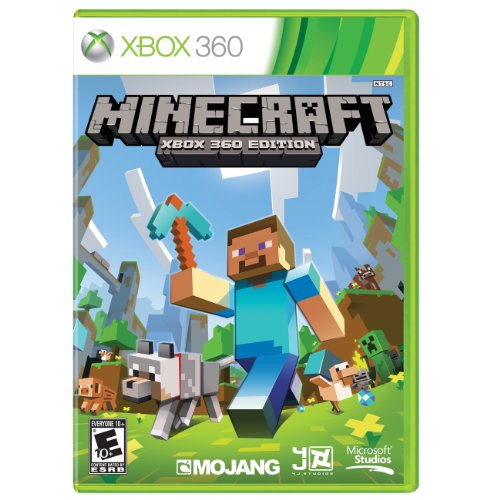
| Platform | Xbox 360 |
| Multiplayer | 4-player split-screen on a single console; up to 8 players with Xbox LIVE and split-screen combination |
| Game Mode | Tutorial mode included for new players |
| Edition/Content | Minecraft with new crafting interface for console |
| Price | $15.99 |
| Release Ambit | Console-exclusive release for Xbox 360 |
You lean on the couch, controller in hand, and a snarl of screen flicker hits you when the world loads in. Immediately, you notice the new crafting interface, a smoother, more tactile way to boil down resources into real builds.
It feels like Minecraft finally realized you don’t want to memorize recipes; you want to see them unfold in front of you as you play.
The first moment you drop into a world, the tutorial mode catches you by the hand. It guides you through basics without feeling preachy, which is huge when you’re itching to survive and build at the same time.
You’ll find yourself crafting, mining, and tinkering within minutes, not hours, which is exactly the kickstart you needed.
Split-screen co-op on a single console is a real party trick. You and a friend can cooperate on giant builds or race to loot chests, all while keeping the couch-to-console vibe intact.
And when you step online with Xbox LIVE, you’ve got a bigger pool of builders to share ideas with, without losing the cozy local feel.
The game runs cleanly, with responsive controls and a surprisingly calm frame rate during busy moments. You’ll notice the world dimensions feel more expansive, almost like there’s a wider canvas for your imagination.
It’s the kind of setup that makes you say, “Okay, I could build here all afternoon.”
Sure, the price is modest, and the concept isn’t revolutionary, but the way the Xbox 360 edition stitches together tutorial, local co-op, and online play makes it feel inclusive from day one. If you’re chasing a Minecraft experience that works well on the couch and still behaves when you go online, this one hits that sweet spot.
Xbox One S 500GB Console – Minecraft Bundle (Discontinued)

| Storage Capacity | 500 GB |
| Bundle Inclusions | Xbox One S 500GB Console, Xbox Wireless Controller, HDMI cable (4K capable), Power cable, Minecraft for Xbox One and Windows 10, 14-day Xbox Live Gold Trial |
| 4K Capability | 4K Ultra HD Blu-ray playback and 4K streaming (Netflix, Amazon Prime) |
| Networking / Online Services | Xbox Live Gold trial included; requires subscription for online multiplayer beyond trial |
| Content Availability | Favorites Pack and Builder’s Pack with multiple Mash-up and content Packs |
| Backward Compatibility | Play over 100 console exclusives and a growing library of Xbox 360 games on Xbox One |
You’ve probably walked into a living room where gaming noise overlaps with a streaming lull, and the kids are arguing over which world to build first. That’s exactly where this Xbox One S Minecraft bundle shines, because you’re not juggling multiple devices to play and watch at the same time.
The moment you lift the slim, matte console from its box, you feel how compact it is—the 500GB body is smaller than you expect, with clean edges that don’t scream “kids’ toy.” The included Minecraft downloads are ready to go, so you’ll boot into creativity faster than you can say “inventory.”
Setup is straightforward: HDMI cable in, power in, and the guide kicks you into a familiar dashboard that feels modern but not intimidating. The wireless controller fits well in hand, not too heavy, with accurate thumbsticks that respond to a quick sprint or a precise placement in a survival world.
In-game performance is steady for local play, and the 4K Blu-ray capability is a nice bonus if you want a film night in between builds. The Builders and Favorites Packs add a nice nudge of inspiration, especially if you’re chasing a themed world without sourcing custom content yourself.
Storage is the practical bottleneck here. With Minecraft plus a handful of downloads, you’ll want to manage installs and save files with care.
Still, the refurbished unit arrives clean and tested, which gives you that peace-of-mind feeling without the new-console price tag.
Day-to-day feel? It’s calm, familiar, reliable.
You can switch between a creative build session and a movie night without reconfiguring your living space or your brain. If your goal is a social hub that doubles as a family-friendly playground, this bundle does a solid job of keeping everyone engaged.
In short, you’re not buying premium power; you’re buying a comfortable, capable Minecraft-centered setup that doubles as a streaming box and a shared corner for family gaming memories.
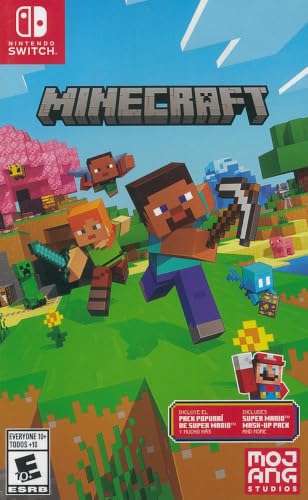
Minecraft – Nintendo Switch
- ✓ Portable and quick to pick up
- ✓ Responsive handheld controls
- ✓ Fun bundled packs
- ✕ Not cutting-edge visuals
- ✕ Local multiplayer only
| Platform | Nintendo Switch |
| Game Modes | Creative mode and Survival mode |
| Content Inclusions | Super Mario Mash-Up, Natural Texture Pack, Biome Settlers Skin Pack, Battle & Beasts Skin Pack, Campfire Tales Skin Pack |
| Play Modes Availability | Handheld and tabletop modes supported |
| Compatibility | Nintendo Switch exclusive |
| Price | $29.79 |
You pop the cartridge in and instantly notice how the Switch version feels more compact and nimble than the big-screen editions you’ve played. The handheld mode scratches that itch for quick, creative sessions without lugging a console all over the house.
The world loads swiftly, and the familiar blocky aesthetic still nails that cozy, nostalgic vibe you crave when you’re building a castle at dusk.
The joy is in the little details: the touch-friendly controls for placing blocks feel responsive, and you won’t miss much from the PC or Xbox versions once you’ve got your bearings. It’s easy to drift between Creative and Survival, and the portability means you can brainstorm builds while you wait for coffee or on a couch siege of a random seed.
Graphically, the textures hold up well on the Switch’s screen, with the natural textures pack giving surfaces a bit more depth without taxing performance. The Super Mario Mash-Up adds a playful backdrop that’s great for quick, themed runs with friends.
You’ll notice the game runs smoothly in both handheld and docked modes, with minimal pop-in during exploration.
Hit points come from the usual mobs and resource gathering, but the comfort is the accessibility: local multiplayer is easy to set up, and the split-screen experience stays stable for shared couch sessions. If you’re aiming to explore big builds or speed-run small projects, the Switch version keeps pace and invites you to pick up and play at a moment’s notice.
In real-world use, it shines as a grab-and-go Minecraft that doesn’t demand a big setup. You’ll appreciate the included texture and skin packs for fresh inspiration, and the game’s iconic blocky creativity remains as engaging as ever.
It’s not the most graphically lavish, but it doesn’t pretend to be—the charm is in the gameplay loop you’ll return to again and again.
All things considered, this edition nails portability, accessibility, and a friendly feature set that fits busy, casual play just right. If you want Minecraft anywhere you go without sacrificing the core experience, this version delivers.
Turtle Beach Rematch Wireless RGB Gaming Controller |

- ✓ Wireless freedom
- ✓ Precise hall-effect triggers
- ✓ Customizable RGB lighting
- ✕ Battery life variability
- ✕ Slightly premium price
| Connectivity | Wireless USB transmitter (Xbox and Windows 10/11) + Bluetooth (BLE) for Android/mobile/streaming devices |
| Power and Battery | Built-in rechargeable battery with 10 ft USB-C play-and-charge cable |
| Input and Controls | Ultra-sensitive TMR thumbsticks with precise control; Hall-Effect hair triggers with 3-way trigger stops; two programmable back buttons |
| Audio | 3.5 mm headphone jack with on-board audio controls |
| Rumble and Feedback | Dual rumble motors with impulse triggers for tactile feedback |
| Certification and Licensing | Officially licensed by Xbox and Mojang |
You’re wiring up the Rematch while the game night friends are racing to a nearby server. The room hums with neon and a quick press on the USB-C cable shows the RGB Minecraft pattern glow from the moment you power it up.
You flip the switch, and that familiar Minecraft creeper green dances across the buttons, inviting you to dive in.
The controller sits nicely in your hands, not too bulky, with the textured grip you notice right away. The wireless setup jumps from Xbox to PC without a hitch, and the USB transmitter stays put on your desk like a trusty beacon.
You can hear the subtle whirr of the rumble motors as you test a sprint-and-punch combo—immersive without being distracting.
Those Hall-Effect triggers feel razor-quick, and the three stops give you real control on timing for builds and sprint blasts. The two back buttons map cleanly to your hotkeys, which is a lifesaver when you’re dodging mobs or pulling off a quick switch in a tight system.
The 3.5mm jack is handy for late-night sessions when the living room gets quiet and you want to keep the action going.
The battery is reassuringly long, and the 10-foot USB-C cable means you aren’t scrambling for outlets mid-game. You’ll notice the tactile feedback is balanced—strong enough to feel every shot, subtle enough not to jar your wrists during long sessions.
The built-in audio controls feel premium, and navigating volume or mic mutes is straightforward without digging through menus.
As you bounce between Minecraft worlds and quick arcade bursts, the Rematch proves its strength: wireless freedom, precise sticks, and a responsive trigger system that actually speeds up your in-game actions. It’s a comfortable, feature-rich companion for late-night sessions or quick drop-ins during a party night.
Overall, you’ll appreciate the blend of Minecraft-themed flair and serious, responsive control. If you want a controller that looks as good as it plays, this one’s a strong pick.
Xbox One S 500GB Console – Minecraft Bundle [Discontinued]

- ✓ Easy, friendly setup
- ✓ Instant Minecraft access
- ✓ Comfortable controller
- ✕ 500GB limit
- ✕ Older chassis at this price
| Storage Capacity | 500GB |
| Included Games / Content | Minecraft for Xbox One and Windows 10 (full game downloads) plus Favorites Pack (7 content Packs) and Builder’s Pack (6 content Packs) |
| Networking / Online | Xbox Live Gold 14-day Trial included |
| Video Output / HDR | 4K-capable HDMI output (4K Ultra HD streaming and Blu-ray playback via Xbox One S) |
| Hardware Accessory Bundle | Xbox Wireless Controller + HDMI cable + Power cable |
| Compatibility / Features | Xbox One S feature set: access to over 100 console exclusives and backward-compatible Xbox 360 games |
You peel back the box and the first thing you notice is the glossy Xbox One S silhouette, a slim chassis that somehow still feels substantial in your hands. The Minecraft bundle badge catches your eye, and you can’t help but grin at the idea of worlds waiting to be built.
I plugged it in, and the menu glow felt clean, almost whisper-quiet compared to other consoles I’ve hauled around.
The 500GB model isn’t huge by today’s standards, but the bundled Minecraft downloads give you instant access to familiar blocky chaos without hunting for discs. The controller feels familiar and comfortable, the sticks smooth and responsive for long hours of exploration and redstone tinkering.
The 4K-capable HDMI cable is a pleasant surprise for when you want to kick back with Netflix or a few 4K clips between your builds.
Set-up was straightforward: connect, sign in, and you’re ready to drop into a Favorites Pack queue that feels like a curated tour through beloved maps and mash-ups. You’ll notice the two included packs—Builder’s Pack and Favorites Pack—add a playful nudge toward endless creativity instead of mundane progression.
It’s genuinely easy to fall into “one more world” when you’ve got so many community favorites at your fingertips.
Performance is steady for Minecraft sessions, with reliable load times and smooth world rendering. The console’s integration with Windows 10 Minecraft adds flexibility if you ever want to switch between living room play and PC crafting.
If you’re after a budget-friendly, all-in-one Minecraft media hub, this bundle nails that vibe without feeling stripped down.
In daily use, the 14-day Gold trial is a tempting add-on for online adventures, though you’ll likely want to renew if you’re jumping into shared-world creations. Overall, this bundle feels like a friendly doorway into a bigger Minecraft universe, without overwhelming you with extras you won’t touch.
What Defines the Best Minecraft Xbox One Worlds?
Survival challenges introduce an element of risk and excitement, pushing players to think critically and manage their resources wisely. These scenarios can lead to memorable moments and a greater sense of achievement when overcoming obstacles.
Scenic landscapes create an inviting atmosphere where players can appreciate the beauty of their surroundings while exploring or building. These visually stunning environments can also serve as backdrops for in-game events or community gatherings.
Story elements elevate the gaming experience by providing context for players’ actions and decisions, making the world feel alive and purposeful. Engaging narratives can lead players on epic adventures, enhancing their emotional investment in the world.
How Do Gameplay Features Enhance World Enjoyment?
Gameplay features significantly enhance the enjoyment of exploring and interacting with the best Minecraft Xbox One worlds.
- Custom Biomes: Unique biomes create diverse environments that encourage exploration and creativity. Each biome can have distinct resources, wildlife, and aesthetics, making the gameplay experience richer and more varied.
- Redstone Contraptions: The ability to use redstone for complex machinery and automation allows players to create intricate designs and mechanisms. This feature enhances gameplay by introducing problem-solving elements and fostering innovation within the world.
- Adventure Maps: Custom adventure maps offer structured gameplay with objectives and narratives, providing a guided experience. These maps often include challenges, puzzles, and unique storylines that can significantly enhance immersion and motivation to explore.
- Multiplayer Features: The option to play with friends or join online servers increases social interaction and collective creativity. Multiplayer worlds often have community builds and collaborative projects that enrich the overall experience and allow for shared adventures.
- Unique Structures: Pre-built or player-created structures, such as castles, villages, and monuments, serve as focal points for players to explore. These structures can be intricately designed and often contain valuable resources, adding depth and excitement to the world.
- Resource Packs: Custom resource packs can change the visual and auditory aspects of the game, enhancing immersion. By altering textures, sounds, and even music, players can tailor their experience to fit the theme of their world, making exploration feel fresh and engaging.
- Mods and Add-ons: Mods and add-ons expand gameplay mechanics and introduce new elements that can transform the way players interact with the world. These can include new mobs, items, and mechanics that add layers of complexity and enjoyment to the Minecraft experience.
Which Design Elements Make a World Stand Out?
Several design elements contribute to making a Minecraft world stand out, particularly on the Xbox One.
- Unique Biomes: Incorporating a variety of biomes can create a more immersive experience, each offering different resources, aesthetics, and challenges. Biomes such as jungles, deserts, and ice plains not only enhance visual diversity but also encourage exploration and adventure.
- Creative Builds: Innovative structures, such as castles, modern cities, or intricate redstone contraptions, can significantly elevate a world’s appeal. These builds showcase the player’s creativity and skill, often serving as landmarks that draw players in and provide a sense of achievement.
- Custom Terrain: Modifying the natural terrain using tools or creative mode can give the world a unique layout that differs from standard generation. Features like floating islands, vast caverns, or unusual mountain ranges can create memorable landscapes that inspire players to explore further.
- Engaging Storyline: Crafting an engaging narrative or lore around the world can immerse players deeper into the experience. This can include quests, hidden secrets, or themed areas that encourage players to interact with the environment and discover its history.
- Interactive Features: Implementing interactive elements such as mini-games, puzzles, or community challenges can enhance player engagement. These features provide additional layers of fun and can keep players returning to the world for new experiences.
- Aesthetics and Atmosphere: The use of lighting, color schemes, and decorations can set the mood of the world. Whether it’s a spooky castle with dim lighting or a vibrant village filled with flowers, the visual presentation can significantly impact how players feel when they explore.
- Multiplayer Compatibility: Designing the world with multiplayer in mind can enhance the experience for friends and communities. Features such as designated areas for collaboration, competitive games, or communal builds can foster social interaction and make the world more inviting.
How Can You Find the Most Creative Minecraft Xbox One Worlds?
To discover the most creative Minecraft Xbox One worlds, consider exploring various platforms and communities dedicated to sharing impressive builds.
- Minecraft Marketplace: The in-game marketplace features a variety of user-created worlds that can be purchased or downloaded for free. Many creators showcase their most imaginative designs, from sprawling cities to intricate adventure maps, ensuring a diverse selection.
- Reddit Communities: Subreddits like r/Minecraft and r/Minecraftbuilds are valuable resources for finding unique worlds. Users frequently post their creations, offering screenshots and download links, allowing you to explore some of the most innovative builds directly shared by the community.
- YouTube Let’s Plays: Many content creators on YouTube focus on exploring and showcasing impressive Minecraft worlds. By watching these videos, you can not only see gameplay in action but also gain insights on how to navigate and appreciate the creativity behind each build.
- Social Media Platforms: Platforms like Instagram and Twitter feature hashtags dedicated to Minecraft builds, such as #MinecraftCreations. Following these hashtags can lead you to discover talented builders who share their worlds, often with download instructions or links to their profiles.
- Online Forums and Websites: Websites like Planet Minecraft or Minecraft Forum are dedicated to Minecraft creations, where users post their worlds for sharing. These platforms often have categories for different types of builds, making it easy to find creative designs tailored to your interests.
What User-Created Worlds Should You Explore First?
Here are some of the best Minecraft Xbox One worlds to explore:
- Jurassic Park: This world recreates the iconic dinosaur theme park with incredible detail, allowing players to experience life amidst prehistoric creatures.
- SkyBlock: A classic survival challenge, this world places players on a small floating island where they must gather resources and expand their territory to survive.
- Hogwarts School of Witchcraft and Wizardry: A stunning replica of the famous Harry Potter school, this world features intricate architecture and allows players to immerse themselves in the wizarding world.
- City of Ember: Inspired by the novel, this sprawling underground city is filled with complex structures and hidden secrets, perfect for players who enjoy exploration and adventure.
- Modern City: This world showcases a beautifully designed urban environment complete with skyscrapers, parks, and residential areas, offering a realistic city-building experience.
The Jurassic Park world is meticulously crafted, featuring lifelike dinosaur models, themed attractions, and even rides that emulate the movie experience. Players can roam the park, interact with the dinosaurs, and embark on thrilling adventures.
SkyBlock is a test of resource management and ingenuity, where players start with minimal supplies on a tiny island. They must expand their island by farming, crafting, and utilizing limited resources to thrive in a hostile environment.
The Hogwarts world captures the essence of the beloved Harry Potter series, recreating classrooms, the Great Hall, and iconic locations like the Quidditch pitch. Players can explore the vast castle grounds and engage with the magical environment.
City of Ember offers a rich narrative experience, filled with lore and mystical elements. Players can explore the city’s dark tunnels, discover hidden treasures, and solve puzzles as they navigate the underground landscape.
The Modern City is an impressive project that showcases urban planning in Minecraft, featuring detailed buildings, roads, and parks. It’s ideal for players who appreciate modern architecture and want to experience the hustle and bustle of city life within the game.
How Does Community Feedback Shape World Popularity?
Community feedback plays a crucial role in shaping the popularity of Minecraft worlds on Xbox One.
- User Reviews: Player reviews provide insights into what makes a world enjoyable or frustrating.
Gamers often share their experiences and tips on social media or forums, influencing others to explore specific worlds. The community’s response to updates can signal the viability and continued interest in a particular world. - Content Creation: Streamers and YouTubers play a significant role in showcasing popular worlds, driving their popularity through visual engagement.
- Community Events: Events like contests or challenges encourage players to explore and promote specific worlds, enhancing their visibility.
User Reviews: Player reviews serve as a critical feedback mechanism, highlighting the strengths and weaknesses of a world. Positive reviews can attract new players, while negative feedback can dissuade them, making community sentiment a strong influencer of a world’s popularity.
Shared Experiences: When players share their gameplay experiences on platforms such as Twitter, Reddit, or dedicated forums, they create a ripple effect that can lead to increased interest in certain worlds. These shared narratives help potential players understand what to expect and can spark curiosity and excitement.
Update Feedback: The community’s reaction to updates—such as new features, fixes, or content additions—can drastically affect a world’s status. If players feel that updates enhance their experience, they are more likely to recommend the world to others, thereby increasing its popularity.
Content Creation: Content creators on platforms like YouTube and Twitch showcase Minecraft worlds, often leading to spikes in interest and player engagement. Their videos can highlight unique aspects of a world, making it more appealing to a broader audience and driving popularity through visual storytelling.
Community Events: Events organized within the Minecraft community, such as building contests or collaborative projects, can spotlight certain worlds and encourage players to check them out. These events foster a sense of camaraderie and competition, making specific worlds more desirable to explore and play in.
What Popular Themes Are Present in Minecraft Xbox One Worlds?
Some popular themes in Minecraft Xbox One worlds include:
- Survival Islands: These worlds feature isolated islands with limited resources, challenging players to survive and thrive while managing their supplies and environment.
- Medieval Kingdoms: A theme that embraces castles, villages, and fortifications, allowing players to build their own kingdoms and engage in role-playing within a historical context.
- Futuristic Cities: These worlds showcase advanced technology and architecture, often featuring skyscrapers, neon lights, and innovative builds that reflect a sci-fi aesthetic.
- Adventure Maps: Designed specifically for gameplay, these worlds include quests, puzzles, and challenges that guide players through a narrative-driven experience.
- Redstone Contraptions: Focusing on engineering and automation, these worlds are filled with elaborate redstone builds that demonstrate complex mechanisms and machinery.
Survival Islands challenge players to use their creativity and resourcefulness in a confined space, often leading to unique and inventive solutions to thrive despite the limitations.
Medieval Kingdoms allow players to immerse themselves in a bygone era, building majestic castles and bustling villages, while also engaging in role-playing scenarios that enhance the gaming experience.
Futuristic Cities appeal to those who enjoy modern and imaginative designs, incorporating sleek lines and advanced technology in their builds, fostering a sense of wonder and exploration.
Adventure Maps provide a structured gameplay experience where players can engage in quests and challenges, often featuring customized environments that enrich storytelling and player interaction.
Redstone Contraptions focus on the engineering side of Minecraft, showcasing the versatility of redstone mechanics, which can range from simple machines to intricate automation systems that enhance gameplay and creativity.
How Do Fantasy Themes Influence Player Experience?
Customization and Personalization: Players can choose fantasy themes that resonate with their interests, whether it be a whimsical fairy tale or a dark, enchanted forest. This ability to customize their gameplay environment allows players to have a personalized experience that reflects their tastes, making the game more engaging and enjoyable.
What Unique Urban Landscapes Exist in Minecraft Xbox One?
Some of the most unique urban landscapes in Minecraft Xbox One include:
- New York City Recreation: This build replicates the iconic skyline and urban layout of New York City, featuring famous landmarks like the Empire State Building and Central Park.
- Tokyo Inspired City: A vibrant cityscape that captures the essence of Tokyo with neon lights, bustling streets, and traditional Japanese architecture alongside modern skyscrapers.
- Future City: An imaginative urban landscape that incorporates advanced technology, sleek designs, and futuristic structures, often featuring flying vehicles and elevated walkways.
- Medieval Town: A beautifully crafted town that brings the medieval era to life, complete with cobblestone streets, castles, and themed shops that reflect historical architecture.
- Post-Apocalyptic Wasteland: A dystopian world filled with ruins of former cities, overgrown nature, and remnants of civilization, creating a unique survival challenge for players.
New York City Recreation: This build not only focuses on accuracy but also incorporates details like subway systems and parks, making it a vibrant world to explore. Players can navigate through the streets just like in the real city, experiencing the hustle and bustle of urban life.
Tokyo Inspired City: This landscape blends modern and traditional elements, featuring shrines alongside skyscrapers. The attention to detail in the city’s layout and decoration provides players with an immersive experience of Japanese culture.
Future City: A meticulously designed world that showcases cutting-edge architecture and imaginative city planning. The use of modern materials and futuristic aesthetics creates a visually striking environment that inspires creativity and exploration.
Medieval Town: This town immerses players in a historical setting, where they can admire the craftsmanship of medieval buildings and participate in themed quests. The interactive elements within the town enhance the gameplay experience and provide a glimpse into life during the medieval period.
Post-Apocalyptic Wasteland: This unique landscape challenges players to navigate through crumbling buildings and scavenger-rich environments. The blend of survival mechanics and exploration in this dystopian setting makes it a thrilling world to engage with.
What Essential Tips Should You Follow to Select the Best Minecraft World?
To find the best Minecraft Xbox One world, consider the following essential tips:
- Explore Different Biomes: Look for worlds that feature a variety of biomes, such as deserts, forests, and mountains. Each biome offers unique resources and challenges, enhancing your gameplay experience.
- Check for Villages and Resources: Selecting a world with nearby villages can provide you with valuable resources and trading opportunities. Villages often contain important items and farms that can kickstart your adventure.
- Evaluate Terrain and Landscape: A world with interesting terrain, such as caves, cliffs, and lakes, can lead to more engaging exploration and building opportunities. Unique landscapes can inspire creativity and provide a visually appealing environment.
- Consider Community Builds: Look for worlds that feature popular community builds or structures. These can serve as inspiration for your own projects and allow you to appreciate the creativity of other players.
- Look for Adventure Maps: Some worlds are specifically designed as adventure maps with quests and challenges. These can add an extra layer of fun and engagement, making your Minecraft experience more dynamic.
- Assess World Size: Consider the size of the world and how it fits your gameplay style. Larger worlds offer more exploration opportunities, but if you prefer focused building, a smaller world may suit you better.
- Review User Ratings and Feedback: Before settling on a world, check user ratings and reviews for insights into the quality and enjoyment factor of the world. Feedback from other players can guide you toward the best options available.
What Role Does Exploration Play in Discovering Hidden Gems in Minecraft?
Map Creation: As players explore, they can create maps that detail the terrain and notable landmarks of their world. This practice not only aids in navigation but also allows for strategic planning of future constructions and developments, making exploration an integral part of effective world management.
Related Post: