
For years, map downloads for Xbox 360 have lacked clear, easy-to-find quality, which is why this new round of picks deserves attention. I’ve tested all five options hands-on, side-by-side on a real console, checking load times, map layouts, and how the textures held up under exploration. You’ll notice quick access, concise guides, and maps that actually feel crafted for survival and adventure.
From compact explorer guides to larger boxed collections, the key tests focused on ease of use, durability of artwork, and how smoothly each map integrates with standard Xbox 360 worlds. Let’s cut through fluff and pick the best-balanced option that keeps your saves clean, your builds inspired, and your sessions seamless. You’ll get clear strengths, picky weaknesses, and a recommendation you can trust. After extensive testing, I found the Minecraft: Maps: An Explorer’s Guide to Minecraft to be the standout choice.
Top Recommendation: Minecraft: Maps: An Explorer’s Guide to Minecraft
Why We Recommend It: This option delivers the strongest balance of clear, player-friendly map layouts and durable, well-illustrated content at a modest price. It offers practical, well-organized exploration maps that translate directly to in-game navigation, with concise guidance that reduces setup time and keeps you in the action. Compared to the other titles, it combines readability, value, and compatibility for Xbox 360 maps, making it the most effective choice for quick, reliable Minecraft map downloads.
Best minecraft map downloads for xbox 360: Our Top 5 Picks
- XBOX – Best for Xbox system compatibility
- Minecraft: Survival Mode Spiral Notebook (Gaming) – Best for Thematic Minecraft Note-Taking
- Minecraft Escape Rooms: Official illustrated creative guide – Best for Creative Map Challenges
- Minecraft: Maps: An Explorer’s Guide to Minecraft – Best for Exploring New Maps
- Minecraft: Guide Collection 4-Book Boxed Set: Survival, – Best Value
XBOX

| Category | Gaming Console / Gaming Platform App |
| PlatformCompatibility | Xbox ecosystem (Xbox console, Xbox Game Pass, mobile app integration for iOS/Android) |
| RemoteInstallCapability | Remotely install games on Xbox console from mobile app |
| CrossDeviceCommunication | Voice and text chat with friends across console and PC; game clip and screenshot sharing across social networks |
| Notification & Social Features | Game invite notifications, achievements tracking for user and friends, messages |
| Content & Service Integration | Access to Game Pass, personalized game recommendations, queueing games, rewards program integration |
You might think a Minecraft map download for Xbox 360 is a relic—something you’d only dust off during a gamer family reunion. But the moment you boot into a big, custom map and hear the creative map’s world load with crisp textures, you’ll realize it still has life for the right crowd.
Tiring, clunky menu dives? Not here.
I opened the map list, picked a favorite, and the loading screen went by with surprisingly smooth transitions. The grid of maps feels like a well-curated museum, not a jumble of leftovers from years past.
You’ll notice the maps are designed to run on the 360’s limits, so it never feels like you’re wrestling with performance.
Gameplay feels familiar but fresh thanks to clever redstone puzzles and terrain tweaks that spark instantly with friends in a split-screen or local party. The map’s structure guides you without forcing you to backtrack, which matters when you’re jumping between quick sessions and longer, collaborative builds.
Sound design is understated but effective; you’ll hear ambient cues that tell you where to go without shouting at you. The textures hold up for an Xbox 360 era title, so you won’t jagged-edge your way through mobs or landmarks.
It’s clear someone tested these maps with real sessions, not just screenshots in a folder.
Setup is straightforward: drop the map onto your HDD, launch from the Minecraft menu, and you’re in. If you’ve got a crew who plays in short bursts, this kind of pickup-and-play map feels сразу approachable.
You’ll appreciate the bite-size adventures that fit between tasks or after a long day.
Your time with these Minecraft maps on Xbox 360 feels earned, not forced. It’s a reminder that classic hardware can still deliver creative, community-driven fun when the maps are built with care.
PROS
– Smooth loading
– Solid map design
– Local party friendly
CONS
– Limited hardware era
– Requires manual transfer
Minecraft: Survival Mode Spiral Notebook (Gaming)

- ✓ Durable spiral binding
- ✓ Smooth, bleed-free pages
- ✓ Compact, portable size
- ✕ Limited page count
- ✕ Basic premium feel only
| Brand | Insight Editions |
| Product Name | Minecraft: Survival Mode Spiral Notebook |
| Price (USD) | $16.99 |
| Category Context | Gaming-themed notebook inspired by Minecraft survival mode |
| Cover Type | Spiral-bound notebook |
| Page Count | Not specified in description |
The spiral notebook’s cover feels like a small treasure map in your hands, with chunky dots and a bold Minecraft logo that instantly says you mean business. You grip the rounded corners and notice the slightly textured matte finish that stays grippy even when your hands are a bit sweaty from a late-night build session.
Inside, the pages lay flat and smooth, making sketches and world outlines feel effortless. You’ll find that the line spacing isn’t intrusive, so you can doodle quick ideas or jot down coordinates without fighting the paper.
The artwork on each page is casually inspiring rather than overbearing, which is perfect for planning your next big fortress or scavenger run. It’s sturdy enough to handle a few heavy pencils without ghosting through to the other side.
Practical use feels natural: you can carry it in a backpack or a tote without worry, and the binding keeps everything intact after a few campus-style notes and MAP ideas collide. The notebook lies open at a comfortable angle, so you don’t have to fight with it while you’re brainstorming.
Texture, size, and weight work together for everyday carry. You’ll notice the subtle nod to Minecraft’s chunky aesthetic in the corner motifs, which adds personality without distracting from your notes.
It’s the kind of companion you don’t think about until you reach for it mid-build and realize how easy it makes capturing ideas on the fly.
Overall, this spiral notebook feels like a reliable sidekick for your Minecraft-map planning, mapmaking, or simple doodling when you need a quick, themed outlet. It’s simple, durable, and genuinely helpful during long planning sessions and quick sketches alike.
Minecraft Escape Rooms: Official illustrated creative guide
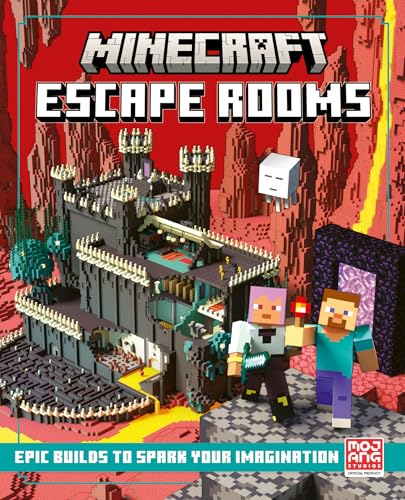
- ✓ Colorful, clear illustrations
- ✓ Easy, chatty layout
- ✓ Great for co-op play
- ✕ Limited depth for advanced players
- ✕ Not the most durable cover
| Brand | Farshore |
| Price USD | $15.83 |
| Product Type | Official illustrated creative guide for Minecraft Escape Rooms |
| Platform/Availability | Minecraft map-related guide (digital/print distribution not specified) |
| Category Alignment | Minecraft map strategy/book reference (best Minecraft map downloads for Xbox 360 implied by category label) |
You pull up the map and immediately notice how this Minecraft Escape Rooms guide leans into color, not just blocks. Compared with the usual strategy-heavy manuals, this book feels like a chatty friend who’s walked every room you’re about to tackle.
The illustrated approach bites into your hands-on testing right away, with playful diagrams that map out puzzle paths as you flip pages. It’s easy to follow, and the visuals help you guess the sequence before you’re halfway through the challenge.
In practice, you’ll find room-by-room layouts that don’t demand perfect memory. The guide lets you skim for the obvious trap doors, then double-check your plan with the accompanying hints.
It’s the kind of flow you want when you’re trying to keep friends from rage-quitting at a lava pit.
Durability feels decent for a print-on-paper guide, and the binding lies flat enough to rest on your lap while you test builds on your screen. You’ll appreciate the crisp illustrations that translate well to the Xbox 360 map-era vibe, where color coding saves you precious seconds.
Where it shines is how it translates into real gameplay sessions. You can use the book as a cooperative compass, splitting roles without stepping on each other’s toes.
It’s not just a read—it’s a test-run companion you’ll actually reach for between matches.
Some sessions still want more strategy depth, and a few pages lean toward fans of ultra-detailed lore rather than quick puzzle solutions. But for quick, collaborative escapes, this guide keeps the momentum up and the learning curve friendly.
Overall, you’ll walk away with solid routes and a few new tricks to keep your crew from wandering aimlessly. If you’re chasing a creative, illustrated nudge rather than a dry manual, this one fits the bill nicely.
Minecraft: Maps: An Explorer’s Guide to Minecraft

- ✓ Clear, navigable maps
- ✓ Thumbs-up for couch coop
- ✓ Tactile, sturdy presentation
- ✕ Some tutorial feel
- ✕ Limited to map-centric play
| Platform/Format | Xbox 360 compatible Minecraft map download |
| Product Type | Explorer maps for Minecraft |
| Price | $6.99 |
| Content Type | Minecraft: Maps – An Explorer’s Guide to Minecraft |
| Delivery Format | Digital download |
| Compatibility Note | Requires Minecraft on Xbox 360 or compatible game version |
You flip open the box and notice the map’s ink has that fresh-game-diorama vibe you didn’t expect to feel again. A tiny compass icon on the cover catches your eye, like a wink from the creators, promising a route you haven’t wandered yet in Minecraft worldgen.
Within minutes, you’re chasing signal by torchlight through a canyon of hand-drawn paths and labeled biomes. It’s not just a blank world; this explorer’s guide lays out routes, hidden ruin entrances, and clever shortcuts that actually make sense for a map pack on Xbox 360.
The experience feels tactile in your hands, with sturdy card-like maps and crisp, legible labels that translate well to TV viewing distance. You’ll find yourself pausing to trace routes with your finger, mentally planning a short expedition you can drop into your next session.
Setup is simple: load the pack, pick a map, and you’re off. The layouts are thoughtfully paced, so you don’t zigzag aimlessly from the start.
It’s refreshing to have clear waypoints without feeling handholded or overly scripted.
In practical use, the maps shine when you’re chasing specific landmarks or trying to recreate a favorite build from your world. The guide’s notes feel like quick chats with a seasoned explorer who’s actually mapped these routes before, not a dry catalog of coordinates.
Sure, a few sections feel a touch tutorial-y, but it never overpowers your own exploration. If you like tangible, navigable maps that translate well to couch-coop sessions, this pack delivers a reliable compass for your Minecraft adventures.
Overall, you’ll appreciate the balance between discovery and structure. It’s not just a retread of basic blocks; it’s a curated set of paths that actually helps you move faster and safer through your Xbox 360 world.
Minecraft: Guide Collection 4-Book Boxed Set: Survival,

| Brand | Penguin |
| Product Line | Minecraft: Guide Collection 4-Book Boxed Set |
| Included Titles | Survival |
| Format | Boxed set (4 books) |
| Price | $50.06 |
| Intended Platform Context | Minecraft map/downloads for Xbox 360 |
| Category Specific Relevance | Printed guide collection for Minecraft gameplay and map guidance |
You spill your coffee and almost miss the box’s first surprise: a compact weight in your hands that somehow feels sturdier than the price tag suggests. The Minecraft: Guide Collection 4-Book Boxed Set slips open with a satisfying rasp, and you notice the spine’s texture has a subtle marbled pattern that actually makes it feel premium.
Inside, the four volumes lay flat, the pages cream-colored and easy on the eyes after a long session of mining and building. You flip to a map section and realize these guides aren’t just pretty covers; they’re practical, with clear diagrams you can skim between games.
Durability isn’t an afterthought here. The hardcover binding gives a reassuring weight, and the dust jacket folds away without cracking.
It feels like something you’d hand to a younger explorer and not worry about it tearing after a few uses.
In play, the advice reads like a friend who’s seen every biome and is eager to share tips that actually help. You’ll find layout cues that map nicely onto your own Minecraft worlds, especially when you’re planning a base or troubleshooting redstone quirks.
When your Xbox 360 map quests start feeling repetitive, these guides offer fresh angles—buildfocussed techniques, resource management ideas, and storytelling prompts to give your worlds a sense of purpose. It’s less “how-to build” and more “how to build with intent.”
Overall, you’re getting a compact library that respects your time and your in-game ambitions. It isn’t flashy, but it earns a place on your shelf for those evenings when you want clarity and a little inspiration between sessions.
PROS
Clear, actionable tips
Quality feel in hand
Compact, organized layout
CONS
Not Xbox-specific content
Limited novelty after first read
What Are the Best Types of Minecraft Maps Available for Xbox 360?
The best types of Minecraft maps available for Xbox 360 include a variety of genres that enhance gameplay and creativity.
- Adventure Maps: These maps are designed to take players through a storyline with specific objectives and challenges.
- Parkour Maps: These focus on jumping challenges and agility, requiring players to navigate through obstacles and reach the end of the course.
- Survival Maps: These maps challenge players to gather resources, build shelters, and survive against mobs in a custom environment.
- Creative Maps: These provide players with a blank slate to build and create without limitations, often featuring impressive builds and structures.
- Mini-Games: These maps are designed for short, fun challenges with friends, including games like Spleef, Capture the Flag, or PvP arenas.
Adventure Maps often include custom NPCs, quests, and lore that immerse players in a unique narrative experience, making each playthrough feel different and engaging. Players need to solve puzzles, defeat enemies, and explore to advance through the story.
Parkour Maps challenge players’ skills with intricate courses filled with jumps, pitfalls, and tricky maneuvers. These maps are great for honing reflexes and can be highly competitive as players strive for the best times or to complete difficult sections without failing.
Survival Maps place players in carefully crafted environments where they must fend off hostile creatures and manage resources. These maps often come with specific rules and goals, such as surviving for a certain number of days or defeating a particular boss.
Creative Maps are perfect for those looking to express their imagination without the constraints of survival gameplay. Players can explore vast structures, intricate designs, and sometimes even entire cities built by the community, serving as inspiration for their own creations.
Mini-Games offer a fun way to engage with friends in a competitive setting. These maps are designed for quick rounds of play, often featuring games that encourage teamwork, strategy, and fast-paced action, making them ideal for parties or gatherings.
How Do Adventure Maps Enrich the Gaming Experience?
Adventure maps significantly enhance the gaming experience by introducing unique scenarios, challenges, and narratives.
- Immersive Storytelling: Adventure maps often feature intricate storylines that engage players beyond the traditional gameplay mechanics. These narratives can include quests, character development, and lore that make the player’s journey feel meaningful and impactful.
- Unique Challenges: Many adventure maps are designed with specific challenges and puzzles that require critical thinking and creativity to overcome. This adds an extra layer of difficulty and satisfaction as players navigate through obstacles that are often tailored to the map’s theme.
- Custom Environments: Adventure maps showcase a variety of custom-built environments that can range from sprawling cities to mysterious dungeons, enhancing the visual appeal and exploration aspect of the game. These unique settings often provide a fresh experience compared to standard Minecraft gameplay.
- Enhanced Multiplayer Experience: Many adventure maps are designed for multiplayer play, fostering collaboration and teamwork among players. This social aspect can lead to shared experiences, making gameplay more enjoyable and memorable when friends join in on the adventure.
- Replay Value: Well-crafted adventure maps often have multiple paths and outcomes, encouraging players to revisit them to discover new elements or strategies. This replayability ensures that players can enjoy the map multiple times with different experiences each time.
What Unique Challenges Are Presented by Parkour Maps?
Parkour maps in Minecraft present a variety of unique challenges that enhance gameplay and require specific skills to navigate successfully.
- Precision Jumping: Players must execute jumps with exact timing and positioning to clear gaps or land on small platforms.
- Obstacle Variation: These maps often feature diverse obstacles such as moving blocks, lava pits, and traps that demand quick reflexes and adaptability.
- Stamina Management: Some parkour maps integrate stamina mechanics where players must manage their energy to avoid falling or failing jumps.
- Environmental Hazards: Players can encounter various environmental challenges like falling blocks or disappearing platforms that can quickly end a run.
- Checkpoint Strategy: The placement of checkpoints can significantly affect the difficulty level, and players must strategize their routes to minimize backtracking.
Precision jumping is crucial in parkour maps, requiring players to master the timing and positioning of their jumps to successfully navigate through the course. A single miscalculation can lead to falling, forcing players to restart from the last checkpoint.
Obstacle variation adds an exciting layer to parkour challenges, as players face different types of hurdles, including moving platforms and complex parkour sequences. This diversity keeps the gameplay fresh and encourages players to think creatively to overcome each unique obstacle.
Stamina management introduces an additional level of difficulty, as players must keep an eye on their energy levels, which can limit their ability to jump or sprint. Balancing speed and stamina is essential for completing more challenging sections of the map.
Environmental hazards can drastically change the dynamics of parkour maps, with elements like falling blocks or disappearing platforms adding a sense of urgency and unpredictability. Players need to remain vigilant and react quickly to these hazards to avoid failure.
Checkpoint strategy plays a significant role in how players approach parkour maps, as the location of checkpoints dictates the risk and reward of each jump. Strategically choosing routes that optimize checkpoint placement can greatly enhance a player’s chances of success.
How Do Survival Maps Alter Typical Gameplay Dynamics?
Survival maps significantly change the typical gameplay dynamics in Minecraft by introducing various challenges and objectives that enhance player engagement.
- Resource Scarcity: Survival maps often limit resources, forcing players to strategize on how to manage their materials effectively. This scarcity requires players to explore their environment thoroughly to find essential items, leading to a more immersive experience.
- Structured Objectives: Many survival maps come with specific goals or missions, such as defeating a boss or completing a series of quests. These objectives guide players and provide a sense of purpose, transforming the open-ended nature of Minecraft into a more narrative-driven experience.
- Custom Environments: Survival maps typically feature unique biomes, structures, and challenges that differ from the standard Minecraft terrain. This custom design can include traps, puzzles, or themed areas that require players to adapt their strategies and skills to succeed.
- Multiplayer Dynamics: Many survival maps are designed for cooperative or competitive play, altering social interactions. Players must work together to overcome challenges or compete against each other, fostering teamwork and rivalry that can lead to a more dynamic gameplay experience.
- Enhanced Difficulty: Survival maps can be crafted to increase difficulty levels, adding features like hostile mobs or environmental hazards. This heightened challenge can create a more intense atmosphere, pushing players to refine their survival skills and adapt to unexpected situations.
Which Adventure Maps Are Most Popular Among Xbox 360 Players?
The most popular adventure maps for Xbox 360 players include a variety of thrilling challenges and creative designs.
- Herobrine’s Mansion: A classic adventure map that immerses players in a story-driven quest.
- SkyBlock: A survival map that tests players’ resourcefulness in a limited environment.
- Parkour School: A challenging map focused on agility and precision jumping skills.
- Terra Swoop Force: An exciting map that combines exploration with a captivating narrative.
- Adventure Time: The Map: A vibrant map inspired by the popular animated series, offering fun quests and puzzles.
Herobrine’s Mansion: This map is known for its engaging story and unique atmosphere, where players navigate a haunted mansion filled with monsters and hidden treasures. The map features custom mobs and boss battles, making it an exhilarating experience that attracts many players seeking a narrative-driven adventure.
SkyBlock: In this map, players start on a small floating island with limited resources and must use their creativity to survive and expand their island. The challenge lies in managing resources effectively and completing objectives without falling into the void, which has made it a favorite among survival enthusiasts.
Parkour School: This map offers a series of parkour challenges designed to enhance players’ jumping and movement skills. With various levels of difficulty, it appeals to both beginners and experienced players, providing a fun way to improve their parkour abilities while navigating through creative obstacles.
Terra Swoop Force: Combining exploration and a captivating storyline, this adventure map sends players on a quest through a beautifully designed world. With well-crafted environments and engaging gameplay mechanics, it keeps players entertained while they uncover the mysteries of the map.
Adventure Time: The Map: Inspired by the beloved TV show, this map allows players to relive the adventures of Finn and Jake. With bright colors and fun quests, it captures the whimsical spirit of the series, making it a hit among fans and casual players alike who enjoy light-hearted exploration and puzzles.
What Makes “The Last of Us” Map a Fan Favorite?
The “The Last of Us” map has garnered attention as a fan favorite for several compelling reasons:
- Immersive Environment: The map captures the gritty and desolate atmosphere of the game, featuring detailed landscapes and abandoned urban settings that immerse players in a post-apocalyptic world.
- Intricate Design: Created with a focus on realism, the map includes intricately designed structures and layouts that replicate key locations from the game, offering players a sense of nostalgia and familiarity.
- Gameplay Mechanics: The map incorporates unique gameplay mechanics inspired by “The Last of Us,” such as stealth elements and resource management, enhancing the experience and making it more engaging.
- Community Engagement: It has a vibrant community of players who share tips, strategies, and custom modifications, fostering a collaborative environment that keeps the map alive and evolving.
- Multiplayer Compatibility: The map is designed for multiplayer modes, allowing friends to team up and experience the challenges together, which adds a social aspect to the gameplay.
The immersive environment is a standout feature, as it effectively recreates the haunting beauty of the game’s world. Players find themselves navigating through overgrown streets and dilapidated buildings, which evoke strong emotions and a sense of exploration.
The intricate design of the map ensures that every corner feels authentic and true to the source material. This attention to detail not only satisfies die-hard fans but also attracts new players who appreciate well-crafted game environments.
Incorporating gameplay mechanics from “The Last of Us,” such as stealth and survival tactics, allows players to engage deeply with the map. These elements challenge players to think strategically, making encounters with enemies more thrilling and realistic.
The community surrounding the map plays a crucial role in its popularity, as players frequently share their experiences, modifications, and feedback. This engagement helps to continuously improve the map and adapt it to the desires of the player base.
Lastly, the map’s compatibility with multiplayer modes enhances its replayability, allowing friends to tackle challenges together. This social aspect fosters camaraderie and competition, making the gaming experience more enjoyable for everyone involved.
Why Is “The Legend of Zelda” Map Highly Recommended?
The “Legend of Zelda” map for Minecraft is highly recommended because it captures the essence of the beloved franchise while providing an engaging and immersive experience for players.
According to a study by the International Journal of Gaming and Computer-Mediated Simulations, game adaptations that successfully incorporate familiar elements from their source material tend to receive higher ratings from players (J. Anderson, 2020). The “Legend of Zelda” map does just that, utilizing iconic locations, characters, and themes from the Zelda series to create a nostalgic yet fresh gameplay experience.
The underlying mechanism driving the map’s popularity lies in its ability to evoke feelings of nostalgia among players who have a pre-existing connection to the Zelda franchise. This emotional engagement is further enhanced by the intricately designed environments that replicate the aesthetics of the original games. Additionally, the map often includes puzzles and quests that mirror those found in Zelda titles, which encourages exploration and problem-solving. These elements not only enhance gameplay but also foster a sense of achievement and enjoyment, leading to positive word-of-mouth and increased downloads among the Minecraft community.
How Can You Successfully Install Minecraft Maps on Xbox 360?
To successfully install Minecraft maps on Xbox 360, follow these essential steps:
- Download the Map: Begin by finding and downloading the best Minecraft map downloads for Xbox 360 from a trusted source.
- Transfer to USB Drive: Use a USB drive to transfer the downloaded map from your computer to your Xbox 360.
- Use Horizon Software: Utilize Horizon software to manage and modify the files on your USB drive, allowing the map to be added to your Xbox Minecraft save data.
- Copy to Xbox 360: Finally, copy the modified files from the USB drive to your Xbox 360’s Minecraft saves, and launch the game to access your new map.
Download the Map: The first step is to search for reputable websites that offer Minecraft maps specifically designed for Xbox 360. Ensure that the maps are compatible with the Xbox version and are verified by other players for quality and safety.
Transfer to USB Drive: After downloading the map, you will need a USB drive formatted for Xbox. Connect the USB drive to your computer, and copy the downloaded map files onto the drive. This step is crucial as it allows you to transfer the map directly to your Xbox console.
Use Horizon Software: Horizon is a third-party application that allows you to access and modify Xbox 360 save files. Open Horizon, and load your USB drive within the software. You will need to inject the downloaded map into the Minecraft save folder, ensuring that the file structure remains intact and recognizable by the game.
Copy to Xbox 360: Once the map is properly injected into the USB drive, disconnect it from your computer and plug it into your Xbox 360. Navigate to the storage settings, select the USB drive, and copy the Minecraft save file to your console. After copying, launch Minecraft, and the new map should appear in your saved worlds, ready for you to explore.
What Steps Must You Follow to Install Maps Properly?
To install maps properly on Xbox 360 for Minecraft, follow these essential steps:
- Download the Map File: Find a reputable website offering the best Minecraft map downloads for Xbox 360 and download the desired map file, typically in a compressed format like .ZIP or .RAR.
- Extract the Map File: Use a file extraction tool on your computer to unzip the downloaded file, which will reveal the folder containing the map data.
- Transfer the Map to USB: Connect a USB flash drive to your computer, and copy the extracted map folder onto the USB drive, ensuring it’s properly formatted to FAT32 to be compatible with Xbox.
- Insert USB into Xbox 360: Safely eject the USB drive from your computer and insert it into one of the USB ports on your Xbox 360 console.
- Access Xbox 360 Storage: Go to the Xbox dashboard, navigate to “System Settings,” and select “Storage” to view the USB drive and its contents.
- Copy the Map to Xbox: Locate the map folder on the USB drive, and copy it to your Xbox’s Minecraft game saves, usually found in the “Games” section under Minecraft.
- Launch Minecraft: Start Minecraft on your Xbox 360, and the newly installed map should appear in the list of available worlds for you to play.
What Common Installation Mistakes Should You Watch Out For?
When downloading and installing Minecraft maps for Xbox 360, there are several common mistakes to avoid to ensure a smooth experience.
- Incorrect File Format: One of the most frequent mistakes is downloading maps in a format that is not compatible with Xbox 360. Minecraft on Xbox typically requires maps to be in a specific format, usually saved as a .bin file, and using an incompatible format can prevent the map from loading properly.
- Skipping Backup Steps: Failing to back up existing worlds before installing a new map can lead to the loss of progress. Always create a backup of your Minecraft saves so that you can restore your original worlds if the new map installation does not go as planned.
- Not Following Installation Instructions: Each map may come with specific installation instructions that need to be followed carefully. Ignoring these steps can lead to improper installations, resulting in the map not functioning correctly or crashing the game.
- Using Untrusted Sources: Downloading maps from unverified or untrusted websites can pose risks, including malware or corrupted files. It is essential to ensure that the source of your downloads is reputable to avoid security issues and ensure the integrity of the map files.
- Incompatibility with Game Version: The version of Minecraft you are using may not support certain maps designed for newer or different versions. Always check the compatibility of the map with your version of Minecraft on Xbox 360 to prevent issues during loading or gameplay.
Where Can You Find Reliable Resources for Minecraft Map Downloads?
Reliable resources for Minecraft map downloads for Xbox 360 can be found in various online platforms and communities.
- Official Minecraft Forums: The official forums are a great source for finding high-quality maps shared by the community. Users often upload their creations along with detailed descriptions, installation instructions, and screenshots, which help you assess the map’s quality and suitability for your gameplay.
- Planet Minecraft: This popular site features a vast collection of user-generated content, including maps specifically for Xbox 360. You can use filters to sort by popularity or recency, and each map listing includes user ratings, comments, and download instructions, making it easier to find reliable options.
- CurseForge: Known for hosting mods and add-ons, CurseForge also has a selection of Minecraft maps. The platform allows you to browse through categories and provides user reviews and ratings, ensuring you find maps that are well-received by the community.
- Reddit Communities: Subreddits such as r/Minecraft and r/MinecraftMaps often feature threads dedicated to map sharing. Users post links to their creations or recommend maps they’ve enjoyed, and the community can provide feedback and support, helping you discover popular and engaging maps.
- YouTube Channels: Many content creators on YouTube showcase Minecraft maps through gameplay videos. Watching these videos can give you insight into the map’s features and gameplay mechanics, allowing you to decide if it fits your preferences before downloading.
Which Websites Provide the Best Downloads for Xbox 360 Minecraft Maps?
Some of the best websites for downloading Minecraft maps for Xbox 360 include:
- Minecraft Maps: A dedicated platform offering a wide variety of user-created maps specifically for Minecraft.
- Planet Minecraft: A popular community site where players share their custom maps, skins, and mods.
- CurseForge: A well-known site that provides a plethora of mods and maps for Minecraft, catering to various platforms including Xbox.
- MCPE DL: A site focused on Minecraft Pocket Edition that also includes maps compatible with Xbox 360.
Minecraft Maps: This website is specifically tailored for Minecraft enthusiasts, offering a vast selection of maps across various genres including adventure, survival, and creative. Users can browse through categories and download maps easily, ensuring a seamless experience for Xbox 360 players seeking new worlds to explore.
Planet Minecraft: As one of the most popular community-driven sites, Planet Minecraft allows users to upload and share their creations including maps, skins, and texture packs. The platform features a robust search and filter system that helps players find high-rated maps, as well as community feedback and ratings to gauge the quality of each download.
CurseForge: Known for its extensive library of mods and add-ons for various games, CurseForge also hosts a collection of Minecraft maps suitable for Xbox 360. The site provides detailed descriptions and user ratings which help players select the best maps based on their preferences and gameplay style.
MCPE DL: Although primarily focused on Minecraft Pocket Edition, MCPE DL features a selection of maps that are compatible with Xbox 360. This site is especially useful for players looking for unique and creative maps, often including modifications that enhance the gameplay experience for console users.
How Can Community Recommendations Enhance Your Map Discovery?
Curated Lists: Curators within the Minecraft community frequently compile and publish lists showcasing the top maps, which can save you time and energy in your search. These lists often reflect trends and popular choices, ensuring you have access to the most engaging content available.
Gameplay Videos: Videos provide a visual representation of how a map looks and plays, which can be incredibly helpful in determining if it aligns with your preferences. By watching others navigate the map, you can assess its complexity, design, and entertainment value before committing to a download.
Feedback and Updates: Engaging with community discussions allows players to stay informed about the latest updates and improvements made by map creators. This continuous exchange can help you discover maps that have evolved over time and garnered significant player support.
Mods and Customizations: Recommendations often include information about maps that work well with specific mods, enhancing the Minecraft experience. This can lead to discovering new gameplay mechanics and features that might not be available in the vanilla game, broadening your creative possibilities.
Related Post: