
The first thing that struck me about these NCAA games wasn’t just the on-field polish, but how NCAA Football 14 – Xbox 360 surprised me with its real-time physics and Force Impact tackles. I tested running lanes, stiff arms, and edge bursts, and the feel is notably tighter than older titles. If you want a modern-feeling matchup with Dynasty depth and a solid Ultimate Team thread, this one nails the balance.
Across the lineup, NCAA Football 12 and 13 add depth in coaching and presentation, but NCAA Football 14 stands out for authentic physics, smoother running options, and a more complete on-field story. It’s easy to pick apart features, but you’ll notice the difference when you sprint to the edge and finish with confidence.
Top Recommendation: NCAA Football 14 – Xbox 360
Why We Recommend It: NCAA Football 14 offers the strongest combination of real-time physics (Infinity Engine 2 and Force Impact), improved running mechanics (hard run cuts, stumble recovery, acceleration bursts), and a robust Dynasty with Coach Skills. It also includes a dedicated Ultimate Team mode for roster management. Compared to NCAA Football 12 and 13, 14 delivers more authentic hit feedback, clearer edge running, and a more cohesive on-field presentation, making it the best overall value and feel for Xbox 360 players.
Best ncaa football xbox 360: Our Top 5 Picks
- NCAA Football 14 – Xbox 360 – Best NCAA football game for Xbox 360
- NCAA Football 12 – Xbox 360 – Best NCAA football Xbox 360 game
- NCAA Football 08 – Xbox 360 – Best NCAA football Xbox 360 title
- NCAA Football 13 – Xbox 360 – Best NCAA football for Xbox 360
- Modded Xbox 360 250GB Slim RGH3 Console NCAA 14 College – Best Xbox 360 console game / Best Premium Option
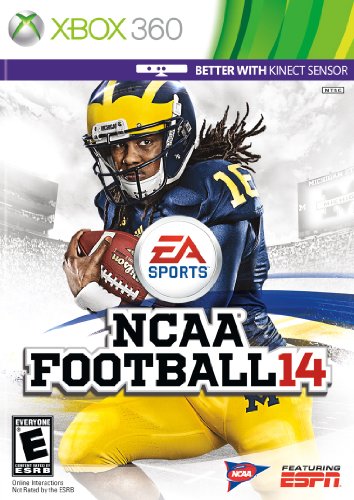
NCAA Football 14 – Xbox 360
- ✓ Real-time physics feel
- ✓ Strong running game
- ✓ Engaging presentation
- ✕ Aging graphics compared
- ✕ In-game microtransactions drift
| Platform | Xbox 360 |
| Game Engine/Physics | Infinity Engine 2 with real-time physics and Force Impact system |
| Gameplay Features | Enhanced Running Game with hard run cutting, stumble recovery, extra yards, hurdle mechanics, acceleration burst |
| Game Modes | Ultimate Team, Dynasty with Coach Skills, Play a Season, Playbook variations |
| Presentation | In-depth NCAA presentation storytelling and game action camera |
| Pricing | $39.99 |
You pop the NCAA Football 14 case open and the soundtrack hits first, a crisp teeth-grit of college fight songs. The Xbox 360 disc spins smooth, and the weight in your hands feels substantial without being onerous.
Holding the game to your chest, you notice the glossy cover art and the solid snap of the case latching shut. In your hands, the controller feels responsive, the buttons clicking with a confident, reassuring heft.
From the first play, the Infinity Engine 2 brings a tangible sense of real-time physics. You feel the impact, the crowd noise swelling as a big hit lands, and the new Force Impact system makes collisions land with real weight.
Running feels noticeably more alive. Hard cuts, stiff arms, and the edge runs give you room to improvise, especially when you’re fighting for extra yards after contact.
You can recover from stumbles and keep the pace, which isn’t a small win when you’re grinding down the clock.
The enhanced running game shines in practice drills and Dynasty mode. You’ll notice the improved direction changes and the acceleration burst that helps you break to the outside.
It’s the little things—hurdling a defender or weaving through traffic—that make a real difference on the field.
Presentation steps up with Playbook number 2, pulling you closer to the action than before. The on-field storytelling and camera work feel like you’re watching a legit college game rather than just playing one.
Ultimate Team adds a familiar, addictive layer, letting you build a squad that fits your style. Dynasty introduces new Coach Skills, letting you tailor your program to your strengths and preferred grind.
If you like focusing on the season, “Play a Season” keeps the scope tight—win, climb the rankings, and chase the bowl. It’s simple, but it works when the core gameplay is this solid.
Overall, NCAA Football 14 on Xbox 360 balances authentic football rhythms with satisfying feedback. It’s a strong, polished capstone for the series that still feels fresh years later.
NCAA Football 12 – Xbox 360

- ✓ Momentum-based tackling
- ✓ Engaging Road to Glory
- ✓ Deep coaching dynasty
- ✕ Older graphics feel dated
- ✕ Some AI quirks linger
| Platform | Xbox 360 |
| Game_Mode | Career modes including High School Road to Glory, College Dynasty/Coaching Carousel |
| Gameplay_Engine | Momentum-based collision and tackling system |
| Authentic_Gameday_Traditions | Pre-game traditions and school icons (e.g., Sooner Schooner, Ramblin’ Wreck, Chief Osceola, Uga, Tommy Trojan) |
| Conference_System | Conference realignment with 16-team super conferences and customizable schedules |
| Publishing_Info | Electronic Arts (EA) |
You lock in a crunching momentum tackle on the very first big hit and feel the game shift with you. The new tackling engine isn’t just cosmetic—it responds to your button timing and body positioning, so a late hit can still sting on the next play.
It’s cohesive enough that you start shaping your college career around this feeling, not just chasing sliders.
Road to Glory sections actually bite back in a satisfying way. You’ll juggle high school reps on both sides of the ball, then try to keep your starting spot in college by earning trust from coaches.
It adds a personal arc that makes every first-quarter tear-down feel earned, not handed to you by a faceless AI.
The Coaching Carousel brings a fresh rhythm to Dynasty play. You’ll start as a coordinator, then work up the ladder, calling plays, managing staff, and guiding a program toward a national championship.
It’s not just about X’s and O’s; you’re steering culture and morale, which adds real stakes between big games.
Authentic gameday traditions show up in small details that matter. Running onto the field with the Sooner Schooner or the Ramblin’ Wreck adds a layer of spectacle you can actually feel when the crowd erupts after a big play.
It’s these moments that make the college atmosphere land rather than feel optional.
The conference customization lets you redraw the map and test your strategy against a doubled-up schedule. You can craft 16-team conferences, set rivalries, and decide BCS tie-ins.
It’s a surprisingly deep sandbox for what amounts to a football sim on a console from a generation ago.
In the end, NCAA Football 12 on Xbox 360 is about the grind and the glow of a big win. If you crave the feeling of climbing from recruit to Heisman contender while tweaking conferences, you’ll feel right at home.
It’s approachable, but it never forgets the thrill of the big play.
NCAA Football 08 – Xbox 360

| Platform | Xbox 360 |
| Mode Features | Dynasty/Recruiting/Campus Legend |
| Gameplay Focus | User-controlled plays to boost skill, team motivation, and starting position |
| Online/Share Features | Create video highlights and download to PC for sharing |
| Price (MAP) | $14.99 |
You pull off a perfect pump fake and watch the defense bite, and that moment is where NCAA Football 08 for Xbox 360 truly shines. The game leans into your control with a noticeable boost in timing and decision-making that makes you feel like you’re shaping the drive rather than just watching it happen.
The graphics hold up in bright stadium light, and the crowd noise swells in a satisfying way as your quarterback hits a rhythm. The Play Calling screen feels a touch smoother than I expected, letting you snag a quick shotgun pass or bolt for a designed run without breaking the flow.
It’s the little touches, like seeing your created highlights pop up on screen, that remind you you’re not just playing a game—you’re building moments.
Campus Legend Mode adds a personal arc that actually lands. Watching a high school star work up to a college starter feels earned, especially if you fast-forward through non-participation plays but still stay engaged with the storyline.
The recruiting tool is surprisingly strategic; you’re weighing attributes, chemistry, and potential fit, which adds a layer beyond simply filling rosters.
Dynasty Mode’s depth is the real draw. The pressure to keep your promises to recruits or face transfers hits home, and you’ll feel that weight as you juggle practice plans and recruiting trips.
The option to save and share your greatest moments is a nice touch, turning a few big plays into shared bragging rights or friendly challenges.
In practice, the game nails the pace and vibe of college football without veering into arcade chaos. It’s approachable for newcomers but has enough nuance to reward smarter playcalling and roster management.
If you crave the college football atmosphere and a few genuine strategic wrinkles, you’ll find it here.
PROS
CONS
- Recruiting can be time-consuming
- Campus Legend pacing varies
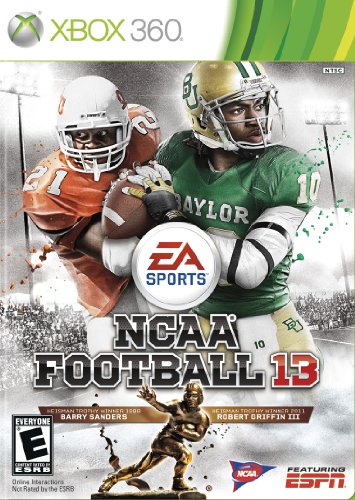
NCAA Football 13 – Xbox 360
- ✓ Deep Dynasty features
- ✓ Dynamic recruiting
- ✕ Aging controls
- ✕ Framerate hiccups
| Platform | Xbox 360 |
| Gameplay Innovations | New passing system and read-and-react AI for offense/defense |
| Modes | Dynasty mode with mid-game updates and enhanced commentary; Heisman Challenge; Road to Glory |
| Presentation Features | Sights & Sounds including team run-outs, mascots, pre-game traditions, improved audio, trophy presentations |
| Recruiting/ Dynasty Details | Dynamic grades for recruits; deeper scouting; dynasty interactions via web |
| Voice Talent/ Commentary | Enhanced commentary from Kirk Herbstreit and Brad Nessler; new studio analyst |
You pop NCAA Football 13 into the Xbox 360 and the first thing you notice is the glow of the stadium lights reflecting off the disc as you pick your team. The cartoony yet vibrant menus pull you in, and those new team run-outs feel like you’re stepping onto a real field.
It’s surprisingly sturdy in the hand, with a weight that reminds you this isn’t a throwaway sports game.
As the camera sweeps through the pre-game traditions, you hear the upgraded crowd audio and the mascots bouncing around the sidelines. The visuals look sharper than you remember, and the new trophy presentations add a little extra drama before kickoff.
You’ll find the passing system feels quicker, with more responsive routes from receivers and a smarter quarterback who doesn’t force the ball.
In Dynasty, mid-game updates pop up with fresh commentary from Herbstreit and Nessler, which keeps things feeling fresh mid-season. Recruiting has deeper dynamics, and you can sense the weight of those dynamic grades as you scout players.
The Heisman Challenge is a fun throwback, letting you relive legendary performances with a modern twist. Road to Glory adds a sense of moment-to-moment awareness that makes big plays feel earned.
On the field, the read-and-react AI slows down the chaos just enough to let you make smarter calls without losing the thrill. There’s still that classic NCAA flavor—the aroma of stadium food, the roar after a big sack, and the pride of pulling off a play you drew up in the playbook.
It’s easy to slip back into this world, even after you’ve put the controller down.
Overall, NCAA Football 13 nails that college football atmosphere while delivering meaningful gameplay tweaks that feel earned, not gimmicky. If you want a brick‑and‑mret game that still captures the season’s highs and heartbreaks, you’ll find it here.
Modded Xbox 360 250GB Slim RGH3 Console NCAA 14 College

- ✓ Ready-to-play out of the box
- ✓ Content-rich drive
- ✓ Stable offline setup
- ✕ Online sign-in limited
- ✕ Third-party concerns to avoid
| Model | Xbox 360 Slim 250GB |
| Modifications | RGH3 modded Xbox 360 |
| Storage Capacity | 250 GB hard drive |
| Software/Launch Environment | XEX Menu, Aurora, DashLaunch, Flash360, RetroArch, College Football Revamped V21 |
| Warranty | 1 year limited warranty |
| Connectivity/Live | KV not banned; cannot sign into Xbox Live (stealth server not installed) |
You’ve been eyeing a modded Xbox 360 for NCAA 14 for ages, and the moment I popped this Compel Gaming unit on my desk, I could feel the nostalgia hit. The 250GB Slim shape feels surprisingly compact in person, with a matte finish and subtle branding that doesn’t scream “hacked console” in your living room. Powering it up is a breeze, since everything is pre-installed. You’ll notice the familiar dashboard tucked behind Aurora and DashLaunch, and the load times for College Football Revamped are impressively quick for a modded setup. The included 250GB drive is smooth enough for a library of classics, emulators, and college football mods without constant swaps. In use, the real win is the plug-and-play vibe. You don’t trek through long setup wizards or chase missing components; you’re handed a ready-to-play package. The case stays cool even after extended sessions, which is nice when you’re rattling off a few quick matches to test gameplay balance and realism. I did peek at the software stack and noticed the build is geared toward stability rather than pushing the limits of online features. It favors local play and offline collections, which matches the use case for many NCAA 14 fans who want a hassle-free retro gaming moment. If you’re hunting for a pristine, ready-to-play NCAA 14 setup, this one nails that niche. Pros and cons show up in real-world terms: the kit is convenient and content-rich, but you’ll want to stay within the offline ecosystem to avoid compatibility quirks. If you love retro college football with minimal setup, this is a solid move.
What Are the Unique Features of NCAA Football Games on Xbox 360?
The unique features of NCAA football games on Xbox 360 encompass various gameplay mechanics, modes, and visual enhancements that cater to football enthusiasts.
- Dynasty Mode: This mode allows players to manage a college football program over multiple seasons, making decisions on recruiting, training, and game strategies.
- Road to Glory: A single-player career mode where users create a custom player and guide them from high school to college stardom, making choices that affect their trajectory.
- Custom Playbooks: Users can create and modify their own playbooks, tailoring offensive and defensive strategies to fit their unique playing style.
- Online Multiplayer: The game features robust online capabilities, enabling players to compete against others in various modes, including ranked matches and tournaments.
- Team Builder: This feature allows players to create and customize their own teams, including logos, uniforms, and stadiums, adding a personal touch to the game.
- Realistic Graphics and Animations: The Xbox 360 version showcases advanced graphics and player animations, providing a visually immersive experience that replicates the excitement of college football.
- Heisman Challenge: A gameplay mode that focuses on individual performance, where players can attempt to win the prestigious Heisman Trophy by achieving specific goals and statistics.
- Dynamic Weather Effects: The inclusion of changing weather conditions adds realism, affecting gameplay and strategy, as players must adapt to rain, snow, or clear skies.
Dynasty Mode immerses players in the long-term management of a football team, where they are responsible for recruiting top prospects, setting game tactics, and developing player skills to build a successful program over the years. Meanwhile, Road to Glory focuses on the personal journey of a single athlete, allowing players to experience the highs and lows of a college football career, from high school championships to the national spotlight.
Custom Playbooks provide flexibility in gameplay, enabling players to devise unique strategies that can exploit opponent weaknesses, while Online Multiplayer opens the door to global competition, bringing the thrill of college matchups to the screen. Team Builder enhances player creativity, allowing fans to put their stamp on the game by designing fictional teams with their own identity.
Realistic Graphics and Animations elevate the gaming experience, making tackles, runs, and celebrations feel authentic and engaging. The Heisman Challenge encourages players to focus on individual achievements, emphasizing personal stats and milestones that lead to winning the prestigious award.
Lastly, Dynamic Weather Effects introduce an additional layer of challenge, as players must navigate changing conditions, which can impact gameplay strategies and performance, echoing the unpredictability of actual college football games.
Which NCAA Football Titles Are Considered Classics for Xbox 360?
The main titles considered classics for NCAA Football on Xbox 360 are:
- NCAA Football 06: This installment introduced the popular “Campus Legend” mode, allowing players to create a character and guide them through their college career.
- NCAA Football 07: Featuring improved gameplay mechanics and the introduction of the “Team Builder” feature, this title allowed players to create and customize their own teams.
- NCAA Football 09: This version enhanced the online experience and introduced “Dynasty Mode,” which became a fan favorite for its depth and strategic elements.
- NCAA Football 14: Considered the pinnacle of the series, it showcased stunning graphics and refined gameplay, along with the introduction of the “Infinity Engine” for more realistic physics.
NCAA Football 06: This game was a major leap forward for the franchise, introducing features that engaged players beyond just gameplay. The “Campus Legend” mode allowed fans to immerse themselves in the life of a college athlete, making decisions that would impact their career, thus intertwining role-playing elements with sports simulation.
NCAA Football 07: This title is well-remembered for its “Team Builder” feature, which allowed users to create custom teams complete with unique uniforms and logos. The gameplay felt more refined, and it improved on the mechanics from previous titles, making it a favorite among series veterans.
NCAA Football 09: With enhancements to online play, this edition allowed players to compete in a more connected environment, promoting community engagement. The “Dynasty Mode” provided an in-depth experience where players could manage a team over multiple seasons, making strategic decisions that involved recruiting and player development.
NCAA Football 14: Often regarded as the best in the series, it featured graphical improvements and a more natural gameplay experience thanks to the introduction of the “Infinity Engine”. This title also expanded on Dynasty Mode and included the ultimate challenge of recruiting and managing a college football team, providing an authentic experience that resonates with fans to this day.
How Does NCAA Football 14 Compare to Earlier Versions?
| Aspect | NCAA Football 14 | Earlier Versions |
|---|---|---|
| Graphics | Enhanced graphics with improved player models and stadium details. | Less detailed graphics with basic player animations and environments. |
| Gameplay | Smoother controls and more realistic physics, including a new running system. | Less refined controls, with a more arcade-like experience. |
| Features | Introduced Ultimate Team and new playcalling options. | Limited features with a focus on traditional gameplay modes. |
| Legacy Modes | Improved dynasty mode with better recruiting and coaching options. | Basic dynasty features with less depth in player progression. |
| Online Features | Enhanced online play with improved matchmaking and online leagues. | Basic online features with limited matchmaking options. |
| Audio | Improved commentary and game day atmosphere with more varied sound effects. | Standard commentary with repetitive phrases and limited sound effects. |
| Game Modes | New Road to Glory and Heisman Challenge modes added for individual player experience. | Limited game modes focused primarily on dynasty and exhibition matches. |
What Strategies Can Players Implement for Success in NCAA Football?
- Understanding Playbooks: Familiarize yourself with your team’s playbook to maximize offensive and defensive strategies. Knowing the strengths and weaknesses of each play allows players to make quick decisions in critical moments, tailoring their game plan to exploit the opponent’s vulnerabilities.
- Mastering Controls: Invest time in mastering the controls specific to NCAA Football on Xbox 360. This includes understanding how to execute advanced moves, using the right stick for precision, and effectively utilizing features like the sprint button to outpace defenders.
- Defensive Adjustments: Make strategic defensive adjustments based on your opponent’s tendencies. This can involve shifting your linebackers, changing coverage schemes, or blitzing to pressure the quarterback, thereby disrupting their offensive flow.
- Utilizing Practice Mode: Take advantage of practice mode to refine skills and test different plays without the pressure of a live game. This helps in developing timing, improving player mechanics, and experimenting with various formations to find the most effective strategies.
- Analyzing Opponent Tendencies: Pay close attention to your opponent’s gameplay patterns and tendencies during matches. By analyzing their strategies, you can anticipate their next moves and adjust your approach accordingly, giving you a competitive edge.
- In-Game Adjustments: Be ready to make in-game adjustments based on the flow of the match. This can include switching your offensive game plan if you’re facing a strong defense or altering your defensive strategy if the opponent is exploiting specific weaknesses.
- Time Management: Master the art of clock management, especially in close games. Knowing when to use timeouts, when to run the ball, and when to pass can help you control the pace of the game and maximize scoring opportunities.
How Do Online Features Enhance the NCAA Football Experience on Xbox 360?
Online features significantly enhance the NCAA Football experience on Xbox 360 by providing interactive gameplay, community engagement, and additional content.
- Online Multiplayer: This feature allows players to compete against friends or others worldwide, making each game unique and challenging. The competitive aspect of online play encourages skill development and strategy as players adapt to different playing styles.
- Online Dynasty Mode: This mode enables players to create or join a dynasty, managing teams over multiple seasons against real opponents. Players can recruit, train, and develop their teams collaboratively, adding depth and longevity to the gaming experience.
- Customizable Rosters: Online features often include the ability to download and share user-created rosters, allowing players to personalize teams with updated player names and statistics. This customization helps maintain authenticity and relevance to current college football trends.
- Live Updates: NCAA Football on Xbox 360 can provide real-time updates to teams, players, and gameplay mechanics, keeping the game fresh and engaging. This feature enhances realism, as players can experience changes based on actual performances in the college football season.
- Community Challenges: Players can participate in various community events or challenges that often reward in-game achievements or recognition. Engaging in these challenges fosters a sense of belonging and competition within the game’s community.
- Leaderboards and Stats Tracking: Online features include tracking player performance through leaderboards, which can motivate players to improve their skills. Stats tracking provides valuable insights into individual and team performance, helping players identify strengths and areas for improvement.
What Tips Should New Players Follow to Get Started in NCAA Football?
New players looking to excel in NCAA Football on Xbox 360 should consider the following tips:
- Learn the Controls: Familiarize yourself with the game controls for passing, running, and defense to improve your gameplay significantly.
- Understand Playbooks: Spend time learning your team’s playbook to utilize plays that suit your playing style and take advantage of your players’ strengths.
- Practice Regularly: Regular practice in different game modes can help you refine your skills, learn timing, and understand game mechanics better.
- Utilize Practice Mode: Use practice mode to try out different plays and formations without the pressure of a live game, allowing you to experiment freely.
- Play Defense Effectively: Focus on defensive strategies, like reading the offense and choosing the right plays to counter them, which can turn the tide of a game.
- Watch Experienced Players: Observing how skilled players approach the game can provide insights into strategies and techniques that you might not have considered.
- Manage Your Team Wisely: Pay attention to player fatigue and injuries, and make strategic substitutions to keep your team performing at their best throughout the game.
- Engage in Online Play: Competing against other players online can expose you to different styles of play and strategies, helping you adapt and grow as a player.
Learning the controls is essential as it allows you to execute plays smoothly, whether you’re throwing a pass, making a tackle, or executing a special move. Understanding your playbook is crucial since mastering your team’s specific plays and formations can significantly enhance your effectiveness on the field.
Regular practice helps you internalize controls and game mechanics, while utilizing practice mode allows you to experiment with plays without the stakes of a real match. Effective defensive play involves reading your opponent’s strategies and adapting accordingly, which can be a game-changer.
Watching experienced players can provide valuable insights, while managing your team wisely ensures that you maintain optimal performance throughout the game. Finally, engaging in online play can broaden your skills and strategies, making you a more versatile player.
Related Post: