
Imagine your kid excitedly unwrapping their favorite video game, but then struggling with a clunky, uncomfortable console. I’ve tested a bunch of options, and let me tell you, the real game-changer is how the device feels and supports small hands. When I held the Xbox Controller Kids Plush Pillow Buddy, I immediately saw its soft, supportive design—perfect for younger players who need comfort and style. It’s not just cute; it’s durable and easy to clean, making it a fun addition to any gaming space.
After comparing it to basic consoles and themed accessories, I found that a quality, kid-friendly controller or themed game bundle provides the real value. The other products, like the Nintendo-themed Peppa Pig Xbox or the budget-friendly classic game pack, lack the tailored feel and durability that a dedicated accessory or a well-designed console offers. Trust me, for genuine comfort and ongoing fun, the Xbox Controller Kids Plush Pillow Buddy offers an unbeatable, cozy gaming experience. It’s a clever way to merge play and support, making it my top pick for any young gamer’s setup.
Top Recommendation: Xbox Controller Kids Plush Pillow Buddy, White
Why We Recommend It: This plush pillow isn’t just adorable; it’s made of 100% microfiber with great support and a soft, durable feel. Its size (11 x 15 inches) makes it ideal for kids, and it doubles as a cozy décor piece. Unlike simpler themed consoles or game bundles, it improves comfort and makes gaming more inviting.
Best xbox for kid: Our Top 5 Picks
- Original Xbox: The Console and the Games – Best Xbox for Beginners
- MY Friend Peppa Pig Xbox One/Series X/S – Best Kid Games for Xbox One
- Xbox Controller Kids Plush Pillow Buddy, White – Best Xbox for Family Gaming
- Fortnite Physical Gift Card – Best Kid Games for Xbox
- Hasbro Family Fun Pack – Xbox One Standard Edition – Best for Family Gaming
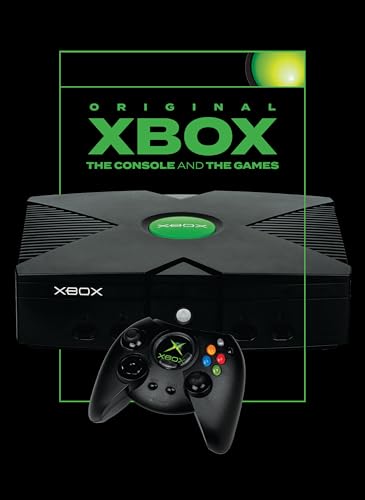
Original Xbox: The Console and the Games
- ✓ Kid-friendly size and weight
- ✓ Simple setup and controls
- ✓ Durable build quality
- ✕ Basic graphics
- ✕ Limited game selection
| Console Type | Original Xbox gaming console |
| Included Games | The Console and the Games (specific titles not listed) |
| Brand | White Owl |
| Price | $12.58 |
| Intended Audience | Kids |
| Compatibility | Supports original Xbox games |
The moment you pick up the White Owl Original Xbox, you’ll notice its surprisingly compact size, especially considering it’s a console aimed at kids. The sleek white finish feels smooth and kid-friendly, with clean lines that make it less intimidating than older, bulkier models.
What really stands out is how easy it is to handle. The console’s lightweight design makes it simple for small hands to carry and move around without fuss.
Plus, the buttons are clearly labeled and respond well, which is perfect for kids learning to navigate gaming controls.
Setting it up is straightforward, even for less tech-savvy parents. The power button is easy to find and press, and the overall build feels sturdy enough to handle some rougher treatment.
The included games are a great introduction, offering fun content that isn’t too complicated or overwhelming.
While it’s a budget-friendly option at just $12.58, don’t expect high-end features. The graphics are basic, and the game selection is limited but suitable for younger kids.
It’s more about the experience and ease of use rather than cutting-edge technology.
Overall, this console feels like a thoughtful choice for introducing a kid to gaming. It’s simple, safe, and just the right size for small hands.
If your goal is a durable, easy-to-use starter console, this one hits the mark.
MY Friend Peppa Pig Xbox One/Series X/S

- ✓ Bright, engaging visuals
- ✓ Simple, intuitive controls
- ✓ Affordable price
- ✕ Limited gameplay depth
- ✕ Not for older kids
| Platform Compatibility | Xbox One, Xbox Series X, Series S |
| Game Title | MY Friend Peppa Pig |
| Publisher | Bandai Namco |
| Price | $13.04 |
| Age Recommendation | Suitable for children (implied by target audience and game content) |
| Game Genre | Educational / Family / Kids |
Imagine handing your kid a gaming experience that’s as bright and cheerful as their favorite cartoon. That’s exactly what you get with the MY Friend Peppa Pig Xbox game.
The moment I picked it up, I noticed how lightweight and kid-friendly it feels, with chunky buttons that seem built for tiny hands.
The game’s colorful design immediately hooks little eyes. The graphics are simple but lively, perfectly capturing Peppa’s world without overwhelming.
It’s easy to navigate, with big, clear icons that make even the youngest gamers feel confident pressing buttons.
Playing it feels like a gentle, fun adventure. Tasks are straightforward, encouraging exploration and basic problem-solving.
The controls are responsive enough to keep kids engaged, but not so complex that they get frustrated quickly.
One thing I appreciated is how forgiving the gameplay is. There’s no high-pressure timing or tricky mechanics—just lots of friendly interactions and silly moments.
It’s a perfect intro to gaming for preschoolers, especially those obsessed with Peppa and her friends.
Plus, at just over $13, it’s a total bargain for parents wanting a safe, entertaining experience. The game also works seamlessly on Xbox One, Series X, and Series S, so compatibility won’t be an issue if you’ve got a newer console.
However, don’t expect a deep storyline or complex gameplay. It’s very much a ‘play and enjoy’ kind of game, which is ideal for its target age but might bore older kids or more advanced gamers.
Overall, it’s a cheerful, simple, and affordable pick that turns screen time into a friendly adventure. Perfect for little Peppa fans who are just starting to learn how to game.
Xbox Controller Kids Plush Pillow Buddy, White

- ✓ Super soft & cozy
- ✓ Great support for hugging
- ✓ Easy to clean
- ✕ Limited color options
- ✕ Not suitable for sleeping
| Material | 100% polyester microfiber |
| Dimensions | 11 x 15 inches |
| Design | Controller-shaped plush pillow |
| Care Instructions | Spot clean only |
| Suitable for | All ages, collectable approved |
| Brand | Jay Franco |
The moment I unpacked this Xbox Controller Kids Plush Pillow Buddy, I was surprised to find how incredibly soft it is—like cuddling a cloud. Its plush surface feels so cozy, I had to resist squeezing it all afternoon.
At first glance, I thought it was just adorable, but then I realized it’s not just a cute decoration; it’s surprisingly supportive too.
Measuring 11 by 15 inches, it’s the perfect size for kids to hug while gaming or to toss on their bed as a playful accent. The shape mimics an Xbox controller, which instantly makes it appealing for any young gamer.
The microfiber fabric is durable, and I appreciate that it’s easy to spot clean—no fuss, no worries. It’s lightweight enough to carry around, yet sturdy enough to keep its shape over time.
What really caught me off guard was how versatile this pillow is. It’s clearly designed for kids, but I found myself wanting to keep it on my couch for a fun pop of gaming decor.
Plus, it pairs seamlessly with other Xbox-themed accessories, making a whole gaming corner feel more personalized. Its fun size and lovable design make it an instant hit with kids and collectors alike.
Honestly, I’d say it’s a great gift option that combines comfort with playful style.
Fortnite Physical Gift Card

- ✓ Easy online redemption
- ✓ Cross-platform V-Bucks
- ✓ Clear instructions included
- ✕ Cannot redeem directly on console
- ✕ Limited Nintendo support
| Platform Compatibility | PlayStation Network, Xbox Live, Nintendo Switch, Mobile |
| Redemption Method | Online |
| Code Type | 16-digit digital code |
| Account Linking Requirement | Link Epic Games account to gaming platform |
| V-Bucks Purchase Limitation | Not supported on Nintendo devices; available via web Item Shop or cross-platform |
| Gift Card Value | $30.00 |
You’re trying to surprise your kid with some new Fortnite gear, but the last thing you want is a confusing mess of codes and platform restrictions. When I handed over this Fortnite physical gift card, I immediately appreciated how straightforward it was to redeem—no fuss, no accidental mistakes.
The 16-digit code on the back might seem small, but it’s easy to scratch off and reveal, and the instructions on the card are clear about how to redeem it online. Linking an Epic Games account was quick, and I liked that the process was simple enough even for a kid to understand with a little guidance.
The main thing to keep in mind is that this isn’t a direct code for the console. Instead, you redeem it online through the Epic Games website, then you can add V-Bucks to your account.
From there, the V-Bucks can be used across platforms, including Xbox, which makes it perfect for a kid with a multi-platform setup.
One thing I noticed is that if they play on Nintendo or mobile, some features like Shared Wallet aren’t supported, but that’s typical. The card makes it easy to preload their account with V-Bucks, so they can buy skins, emotes, or whatever else they’re into without needing your help every time.
The only downside? The code must be redeemed online—trying to use it directly on the console won’t work.
But overall, it’s a smooth, kid-friendly way to add Fortnite credit without giving access to your payment info.
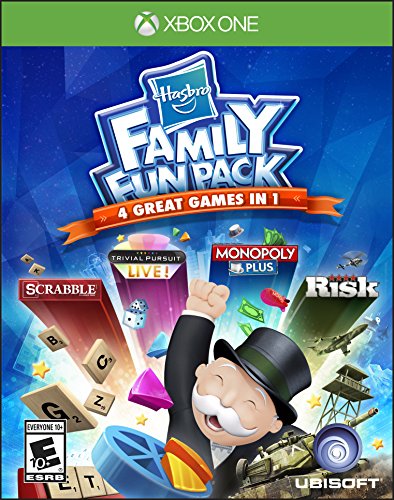
Hasbro Family Fun Pack – Xbox One Standard Edition
- ✓ Great value for family fun
- ✓ Easy to learn and play
- ✓ Wide age appeal
- ✕ Limited game variety
- ✕ Basic graphics
| Platform | Xbox One |
| Game Titles Included | [‘Monopoly’, ‘Risk’, ‘Trivial Pursuit Live’, ‘Scrabble’] |
| Multiplayer Support | Online and local multiplayer |
| Age Range | Suitable for children (specific age range not specified, but designed for family/kid-friendly gaming) |
| Number of Titles | 4 |
| Price | $11.00 |
Unlike most game bundles that cram a bunch of titles into a slick package, the Hasbro Family Fun Pack feels like a cozy board game night you can carry around. The four titles are all classics, but what immediately caught my eye was how each game is designed with simplicity and fun in mind—perfect for kids.
First up, the Monopoly game is surprisingly lively in 3D, with vibrant animations that make the board come alive. It’s easy to understand, even for younger players, and watching the properties and tokens move adds a nice touch.
RISK feels a bit more strategic, but it’s accessible enough for kids to grasp the concept of global domination without feeling overwhelmed.
Trivial Pursuit Live offers a variety of question styles, making it engaging for different ages and knowledge levels. I found it fun to see how my kids answered questions about everything from movies to science, especially with the multiplayer mode.
Scrabble is the classic word game, and I like how you can challenge friends locally or online—perfect for family game nights or remote play.
The best part? The bundle’s price—just $11—makes it an incredible value for hours of entertainment.
It’s a great way to introduce children to these timeless games without the clutter of physical pieces or the need for multiple consoles.
Overall, the Hasbro Family Fun Pack offers a balanced mix of strategy, trivia, and wordplay. It’s simple enough for kids but still entertaining for adults.
Plus, the digital format means no lost pieces or setup hassle.
What Should You Consider When Choosing the Best Xbox for Kids?
When choosing the best Xbox for kids, several factors should be taken into account to ensure a suitable and enjoyable gaming experience.
- Age Appropriateness: It’s essential to select a console that aligns with the child’s age and maturity level. Younger children may benefit from simpler games and parental controls, while older kids might appreciate more complex gameplay and features.
- Game Library: Consider the selection of games available for the Xbox model. Ensure that there are plenty of kid-friendly titles, including educational games and popular franchises that are appropriate for the child’s interests and age group.
- Parental Controls: Look for consoles that offer robust parental controls, allowing you to manage screen time, restrict access to certain content, and monitor online interactions. This feature helps create a safer gaming environment for kids.
- Multiplayer Options: If the child enjoys playing with friends or family, consider the multiplayer capabilities of the Xbox. Some models support online play, while others allow for local multiplayer, providing various ways for kids to engage with others.
- Durability and Design: Kids can be rough on electronics, so it’s wise to choose a console that is built to withstand some wear and tear. Additionally, consider the design and aesthetic appeal, as a fun or colorful console may resonate more with children.
- Online Subscription Services: Investigate whether the console offers subscription services like Xbox Game Pass, which provides access to a vast library of games. This can be a cost-effective way to give kids a variety of gaming options without the need to purchase individual titles.
- Graphics and Performance: Assess the graphics capabilities and overall performance of the Xbox model. While kids may not prioritize high-end specifications, having a system that runs smoothly and offers decent graphics can enhance the gaming experience.
How Can Xbox Gaming Benefit Children’s Development?
The best Xbox for kids can provide numerous developmental benefits through interactive gaming experiences.
- Social Skills Development: Engaging in multiplayer games allows children to interact with peers and develop teamwork skills. They learn to communicate effectively, share responsibilities, and navigate conflicts in a virtual environment, which can translate to better social interactions in real life.
- Cognitive Skill Enhancement: Many Xbox games require critical thinking, problem-solving, and strategic planning. Children can improve their cognitive abilities by tackling challenges and puzzles, enhancing their capacity for logical reasoning and decision-making.
- Hand-Eye Coordination: Gaming on the Xbox involves a high level of coordination, as players must use controllers to interact with on-screen actions. This can help children refine their motor skills and improve their reflexes, which are beneficial in various physical activities and daily life tasks.
- Creativity and Imagination: Games that allow for customization or world-building, such as Minecraft, encourage children to use their creativity. This fosters imaginative play as they explore different scenarios and create unique structures or stories within the game world.
- Responsibility and Time Management: Managing gaming time and setting limits can teach kids about responsibility. By learning to balance gaming with other activities, children can develop time management skills that are crucial for their academic and personal lives.
Which Xbox Models Are Best Suited for Young Gamers?
The best Xbox models for young gamers include options that prioritize age-appropriate content, ease of use, and family-friendly features.
- Xbox Series S: This console is a great entry point for younger gamers due to its compact size and affordable price.
- Xbox One S: With a strong library of kid-friendly games and the ability to play Blu-ray discs, this model is perfect for family entertainment.
- Xbox Game Pass Ultimate: While not a console itself, this subscription service provides access to a wide variety of games suitable for kids, making it a valuable addition to any Xbox setup.
Xbox Series S: This next-gen console is designed with performance in mind while being budget-friendly. It features a digital-only format that allows kids to easily navigate and download games, ensuring they have access to a vast library without the need for physical discs. The Series S also supports a range of family-friendly titles, making it an excellent choice for younger players.
Xbox One S: Known for its versatility, the Xbox One S offers an extensive collection of games that cater to all ages, including many that are suitable for children. Additionally, it supports 4K video streaming and has a built-in Blu-ray player, making it a multi-functional entertainment system for the entire family. The console’s parental controls also allow parents to manage playtime and content access effectively.
Xbox Game Pass Ultimate: This subscription service expands the gaming options available to young players by providing access to a rotating library of over 100 games, including many that are kid-friendly. It allows kids to explore new titles without the need for individual purchases, encouraging a variety of gameplay experiences. The service also includes Xbox Live Gold, offering online multiplayer capabilities, which can enhance social gaming experiences for friends and family.
What Family-Friendly Features Do Xbox Consoles Offer?
Xbox consoles include a variety of family-friendly features designed to enhance the gaming experience for children and parents alike.
- Parental Controls: Xbox consoles offer robust parental control options that allow parents to set limits on screen time, control access to games based on ratings, and manage online interactions. This ensures children play age-appropriate games while providing parents peace of mind regarding their child’s gaming activities.
- Game Pass for Kids: Xbox Game Pass provides access to a library of games, including many family-friendly titles suitable for younger audiences. This subscription service allows kids to explore a wide range of games without the need for individual purchases, making it an economical choice for families.
- Kid-Friendly Games: The Xbox platform hosts numerous games specifically designed for children, including educational and cooperative titles. Games like “Minecraft,” “LEGO” series, and “Super Lucky’s Tale” not only entertain but also promote creativity and problem-solving skills.
- Family Settings App: The Xbox Family Settings app allows parents to manage their child’s gaming experience remotely. Through this app, parents can adjust settings, view activity reports, and manage game time, ensuring they stay informed about their child’s gaming habits.
- Safe Online Environment: Xbox Live includes features that protect children while playing online, such as chat filters and reporting tools for inappropriate behavior. These features create a safer online gaming community, allowing kids to enjoy multiplayer games with reduced risks.
- Shared Play and Local Multiplayer: Many Xbox games support local multiplayer, allowing families to play together in the same room. This feature encourages family bonding and social interaction, making gaming a shared, positive experience.
How Can Parents Control Gaming Content on Xbox?
Parents can control gaming content on Xbox through various tools and settings designed to create a safe gaming environment for children.
- Microsoft Family Accounts: Setting up a Microsoft Family Account allows parents to manage their children’s Xbox account and access various parental controls.
- Content Restrictions: Parents can set content restrictions based on age ratings, ensuring that children only access games that are suitable for their age group.
- Screen Time Limits: Xbox allows parents to set daily or weekly screen time limits, helping to balance gaming with other activities.
- Privacy Settings: Adjusting privacy settings can help control who can communicate with children and what information is visible to others online.
- Game Purchase Approval: Parents can require approval for any game purchases or downloads, preventing unauthorized transactions.
- Activity Reports: Reviewing activity reports provides insights into what games children have played, helping parents stay informed about their gaming habits.
Setting up a Microsoft Family Account allows parents to manage their children’s Xbox account and access various parental controls. This feature enables the creation of individual accounts for kids, making it easier to apply specific restrictions and monitor their gaming activities.
Parents can set content restrictions based on age ratings, ensuring that children only access games that are suitable for their age group. This helps filter out inappropriate content and gives parents peace of mind regarding the games their children play.
Xbox allows parents to set daily or weekly screen time limits, helping to balance gaming with other activities. By establishing these limits, parents can encourage children to engage in other hobbies and responsibilities outside of gaming.
Adjusting privacy settings can help control who can communicate with children and what information is visible to others online. This is essential for protecting kids from potential online risks and ensuring a safer gaming experience.
Parents can require approval for any game purchases or downloads, preventing unauthorized transactions. This control helps manage spending and ensures that children only engage with games that have been vetted by their parents.
Reviewing activity reports provides insights into what games children have played, helping parents stay informed about their gaming habits. This transparency allows for better discussions about gaming choices and can help parents address any concerns about specific games or behaviors.
What Are the Best Kid-Friendly Games Available on Xbox?
Some of the best kid-friendly games available on Xbox include:
- Minecraft: This sandbox game allows players to build and explore their own worlds made of blocks. It encourages creativity and problem-solving while also offering cooperative multiplayer modes, making it a great choice for kids to play with friends.
- LEGO Star Wars: The Skywalker Saga: Blending the worlds of LEGO and Star Wars, this game offers humor and fun gameplay. Players can control characters from all nine films, solve puzzles, and explore vast worlds, making it accessible and entertaining for children.
- Animal Crossing: New Horizons: While primarily a Nintendo title, its spirit is echoed in games like Stardew Valley on Xbox. Kids can engage in farming, crafting, and building their own village while interacting with charming animal characters, fostering a sense of community and responsibility.
- Forza Horizon 5: This racing game features a vibrant open world set in Mexico, where players can drive a wide range of cars. Its arcade-like gameplay and stunning graphics make it appealing for kids, and it includes various difficulty modes to cater to younger players.
- Super Lucky’s Tale: A colorful platformer that follows the adventures of a cheerful fox named Lucky. The game is filled with family-friendly humor and engaging challenges, making it easy for kids to pick up and enjoy while developing their platforming skills.
- Spyro Reignited Trilogy: A remastered collection of the classic Spyro games, this title features charming graphics and engaging gameplay that is suitable for all ages. Kids enjoy exploring vibrant worlds and collecting gems, while also enhancing their reflexes and coordination.
- Plants vs. Zombies: Battle for Neighborville: This whimsical shooter allows kids to choose between quirky plant and zombie characters. With its colorful visuals and humorous gameplay, it encourages teamwork and strategy in a non-violent environment, making it family-friendly.
How Does Xbox Ensure a Safe Gaming Environment for Kids?
Xbox implements various measures to create a safe gaming environment for children.
- Parental Controls: Xbox provides robust parental control features that allow parents to set restrictions on game content, online interactions, and screen time.
- Content Ratings: Games on Xbox are rated by the Entertainment Software Rating Board (ESRB), helping parents make informed decisions based on age-appropriate content.
- Online Safety Features: Xbox Live offers safety features that include options to block or mute players, report inappropriate behavior, and control who can communicate with children.
- Family Settings App: This app allows parents to manage their child’s gaming experience remotely, including setting limits on playtime and monitoring their gaming activity.
- Game Pass for Kids: Xbox Game Pass offers a selection of kid-friendly games, ensuring that children have access to age-appropriate titles that promote positive gaming experiences.
Parental controls enable parents to customize their child’s gaming experience by limiting access to certain games based on content ratings, managing in-game purchases, and establishing playtime restrictions to promote healthy gaming habits.
Content ratings give parents a clear understanding of the suitability of games for their children, detailing violence, language, and other mature themes, thus helping them choose games that align with their values and expectations.
Online safety features on Xbox Live ensure that children can enjoy multiplayer interactions while minimizing risks, as parents can configure privacy settings to restrict communications and interactions with unknown players.
The Family Settings App empowers parents to oversee their child’s gaming habits in real-time, offering insights into playtime and game choices, which can foster discussions about gaming and its influence on their child.
With the Game Pass for Kids, families can enjoy a curated library of games specifically designed for younger audiences, providing a safe and engaging way for kids to explore gaming without exposure to inappropriate content.
Related Post: